UI elements in the app catalog
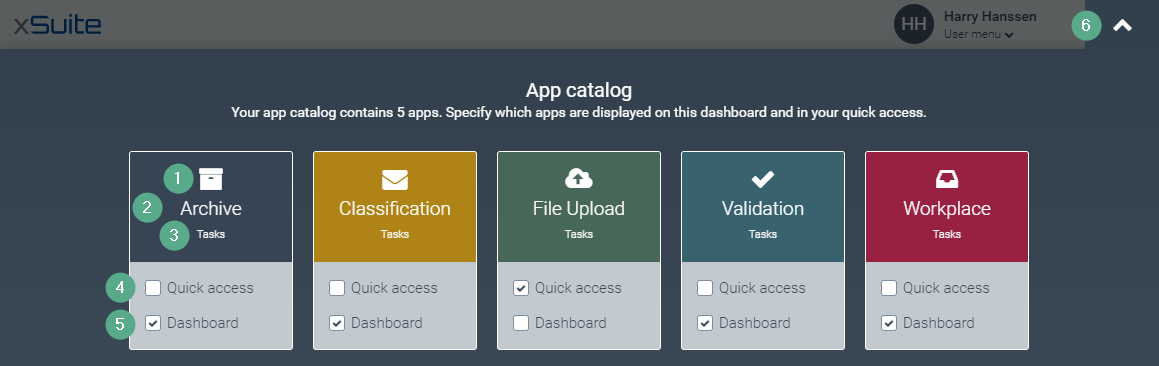
Element | More information | |
|---|---|---|
1 | App icon | App icon |
2 | App name | App name For information on the apps that you have access to as a user, see Overview of apps for users. |
3 | App tile group | Tile group to which an app is assigned. |
4 | Quick Access checkbox | Determines whether an app is displayed in quick access. For more information, see .Editing the selection of apps in the quick access bar This checkbox is valid across all dashboards. |
5 | Dashboard checkbox | Controls whether an app is displayed as a tile on the dashboard. For more information, see Add tiles to a private dashboardand Removing tiles from a private dashboard. |
6 |
| Closes the app catalog. |
