Editing a role
Note
The edit mode is only available for newly created roles (prefix cst_).
Roles with the prefix sys_ cannot be edited.
In the Administration tile group, click on the User Management tile.
Note
If the tile is hidden, open the default dashboard. For more information, see Opening a dashboard.
The User Management screen will open.
Switch to the Roles view.
The Roles view will open.

Select a role and click Edit role.
The Edit role window will open.
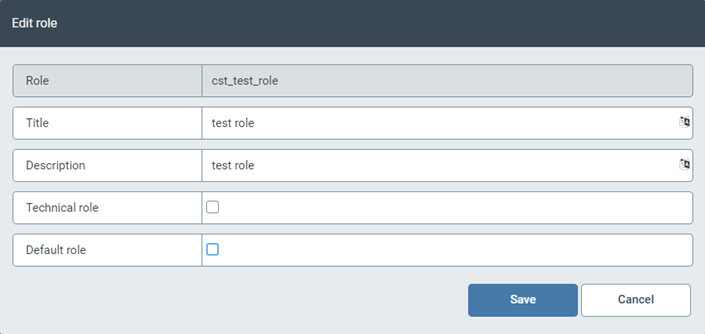
Edit the fields Title, Description and/or Technical role. If you want to add the newly created role to the default roles, select the checkbox Default role.
The Role field cannot be edited.
Click Save.