"Substitutes" tab
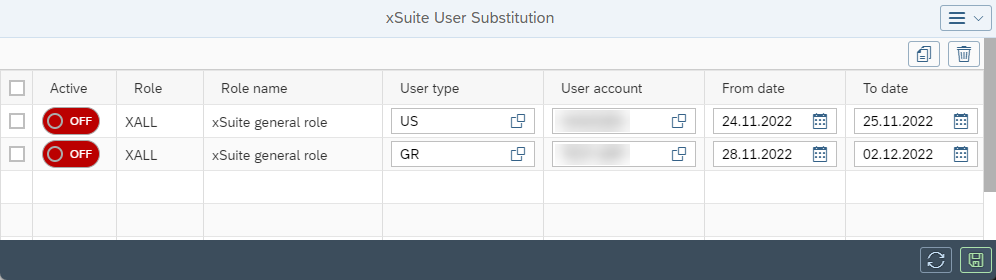
The Substitutes tab is used by the administrator to define substitution periods and substitutes for a user. The defined substitutes receive the work items of the defined absent user within the substitution period. Definition is made by workflow task (per role).
UI – SAP GUI
 |
UI – SAP Fiori
 |
When a substitution is set up, both the originally intended user and his substitute are always assigned the workflow task pending.
Notice
Conflicting substitutions for individual users or for user groups, as well as specified substitutes that do not exist, result in an error message.
Alternatively, substitute maintenance can be carried out by the user himself. The user maintains his substitute in the SAP GUI using transaction /WMD/XF_USR_SUB.
In xSuite Web, a button for substitute maintenance is available in the xSuite Web Business Workplace, provided that this button is activated via the user attribute BSP_SUBST_ENABLED. In SAP Fiori, substitute maintenance is available as a separate xSuite app.
Columns – "Substitutes" tab
Column | Description |
|---|---|
Role | Assignment to a specific xSuite workflow task |
Role name | Short description of the role |
User type | Shows whether the user is an individual user( |
User account | Selection of the substitute responsible |
Active | Determines whether the substitution of a user is activated. Only when substitution is activated does the substitute receive the work items of the user. |
From date/To date | Start and end date of a substitution period |