Text templates for e-mails
You can create standard texts for sending by e-mail using transaction /WMD/XF_TXTPL.
Text templates are managed by language.
Creating a text template for e-mail dispatch
Call transaction /WMD/XF_TXTPL.
➣ The xSuite text template editor will open.
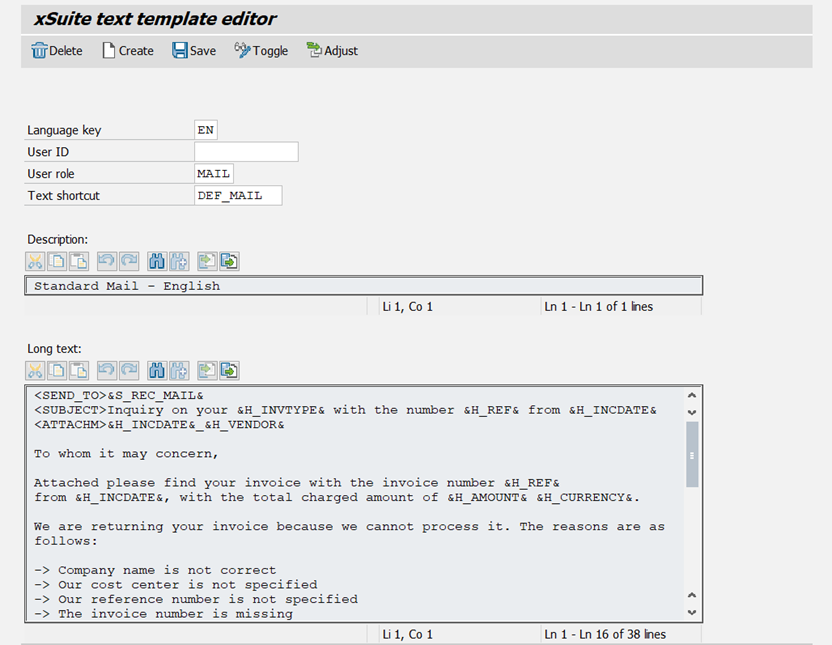
Enter a language key in the field Language key, e.g.
ENfor English.In the User role field, enter the value
MAIL.In the Text shortcut field, enter a name for the text template.
Click Create.
Enter a short description of the text template in the Description field.
In the Long text field, enter the text for the text template. You can use text variables.
For an overview of the available text variables, see Text variables for e-mail text templates.
Click Save.
➤ The e-mail text template has been created.