Managing user data
The administrator can view and edit the general user data of a user or user group in the User Data section of xSuite User Administration.
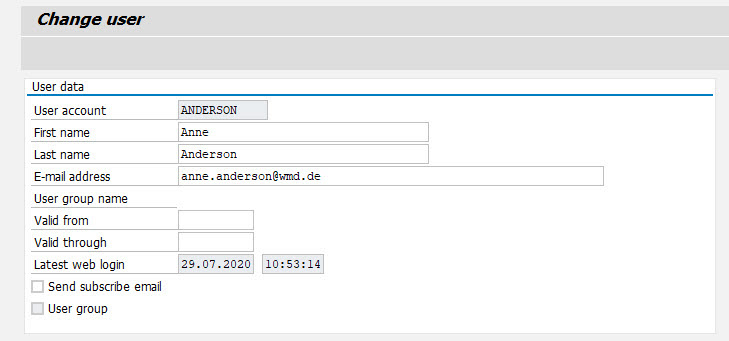
Fields – SAP GUI
 |
Field | Description |
|---|---|
User account | User name of an xSuite user or xSuite user group |
First name | First name of a user |
Last name | Last name of a user |
E-mail address | E-mail address of a user The specification of an e-mail address has the following functions:
|
User group name | Short description of a user group |
Valid from | Start date for the validity period of an xSuite user or an xSuite user group |
Valid through | End date for the validity period of an xSuite user or an xSuite user group |
Latest web login | Date and time of the last login to xSuite Web |
Send subscribe email | Determines whether a user receives an e-mail notification for pending workflow tasks. Prerequisite: Entry of an e-mail address in the E-mail address field. |
User group | If it is a user group, this option will automatically be enabled as a tip. |
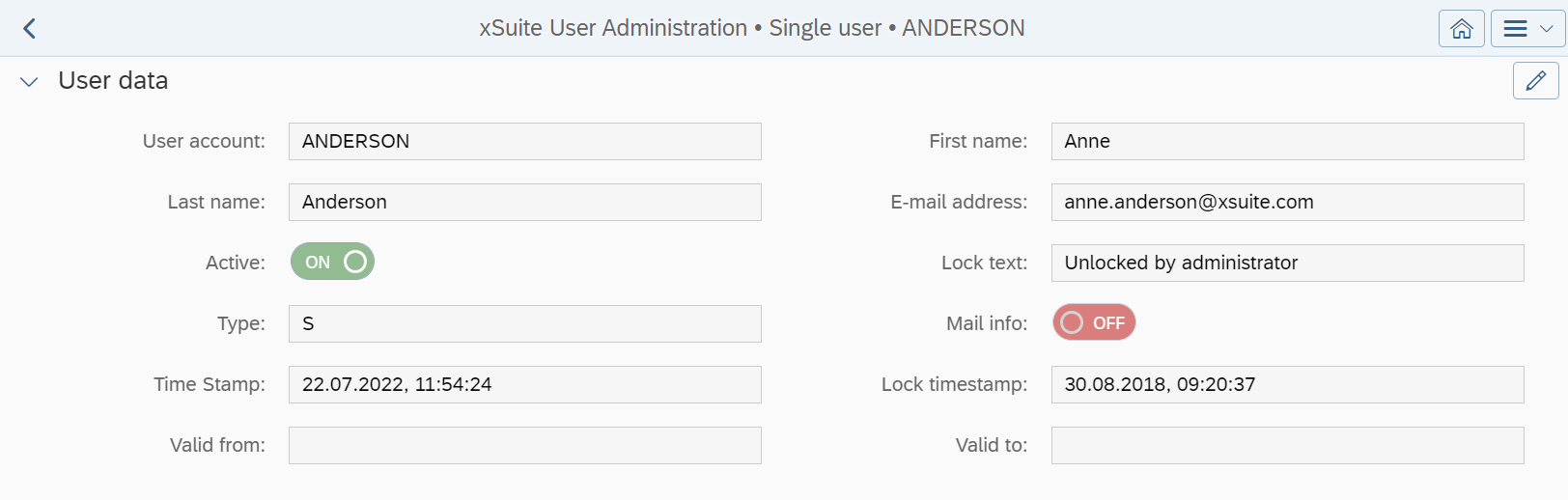
Fields – SAP Fiori
 |
Field | Description |
|---|---|
User account | User name of an xSuite user or xSuite user group |
First name | First name of a user |
Last name | Last name of a user |
E-mail address | E-mail address of a user The specification of an e-mail address has the following functions:
|
Active | Status of a user Only users with the status "active" are considered in the agent determination, in a manual selection, and in the substitute maintenance. Deactivated users do not receive workflow tasks and cannot participate in xSuite workflows. |
Lock text | Descriptive text referring to the status of a user |
User group name | Short description of a user group |
Type | User type Possible values:
In edit mode, the administrator can change a user's password by clicking the button Passwords in SAP Fiori can only be changed for users of Type |
Mail info | Determines whether a user receives an e-mail notification for pending workflow tasks. Prerequisite: Entry of an e-mail address in the E-mail address field. |
Time Stamp | Date and time of the last login to xSuite Web |
Lock timestamp | Date and time of the last time a user was locked or unlocked |
Valid from | Start date for the validity period of an xSuite user or an xSuite user group |
Valid to | End date for the validity period of an xSuite user or an xSuite user group |
