Agent Determination Preview
The button Agent Determination Preview offers an overview indicating which workflow agent has been determined in the current step and stage, and which rules determination has been based on.
Overview of the search fields for the Agent Determination Preview
Notice
The availability of the search fields for the Agent Determination Preview of a work item depends on the xSuite object type assigned to the work item.
Search field | Description |
|---|---|
Object key | Unique description of the transaction based on the SAP object key. This field is filled with the values from the row that the administrator has previously selected in the xSuite Cockpit. |
Role | Specification of the xSuite role. This field is filled with the values from the row that the administrator has previously selected in the xSuite Cockpit. |
Level | Specification of the level to be selected. This field is filled with the values from the row that the administrator has previously selected in the xSuite Cockpit. |
No manual selection | Manual selection is not used for transactions. |
w/o role exit | Determines whether role-specific user exits are taken into account. |
w/o accounting exit | User exits for account assignment are not included. |
w/o overrule exit | User exits that intercede in the process by overruling it are not included. |
UI elements in the Agent Determination Preview
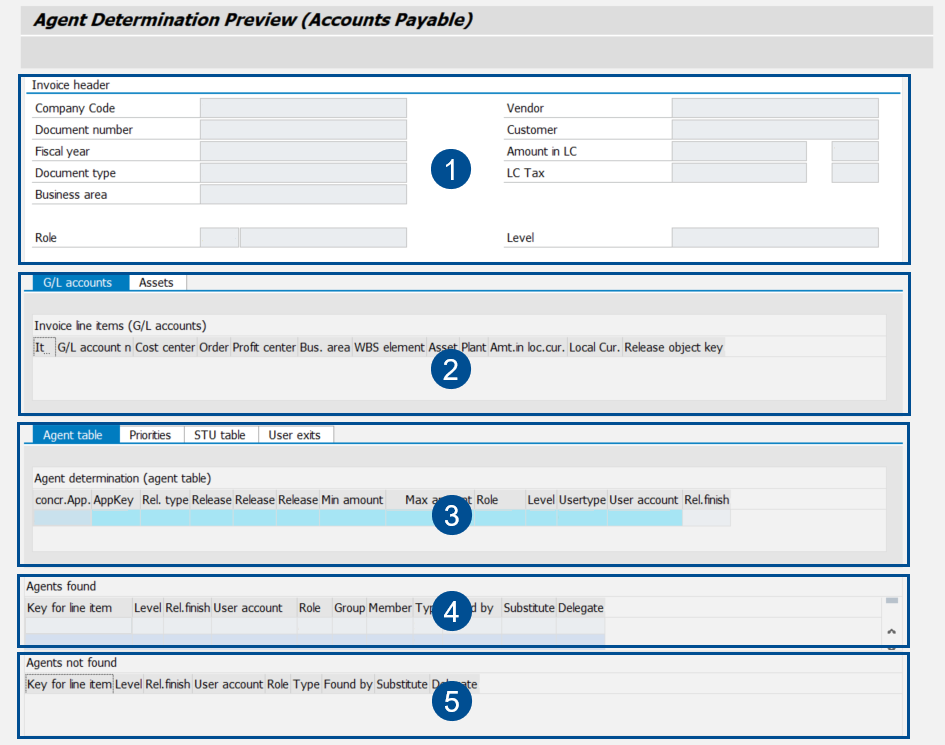
UI elements – SAP GUI
 |
Element | Description | |
|---|---|---|
1 | Document header | Displays information from the header data of the document selected. |
2 | Item data | Displays the items of the selected document. |
3 | Agent table | Shows the extract from the agent table on the basis of which the agent or agents were found. |
4 | Agents found | Displays a list of all agents found for the workflow task in which the selected document is located. |
5 | Agents not found | Displays a list of items for which the xSuite Agent Table Maintenance is incompletely maintained. |
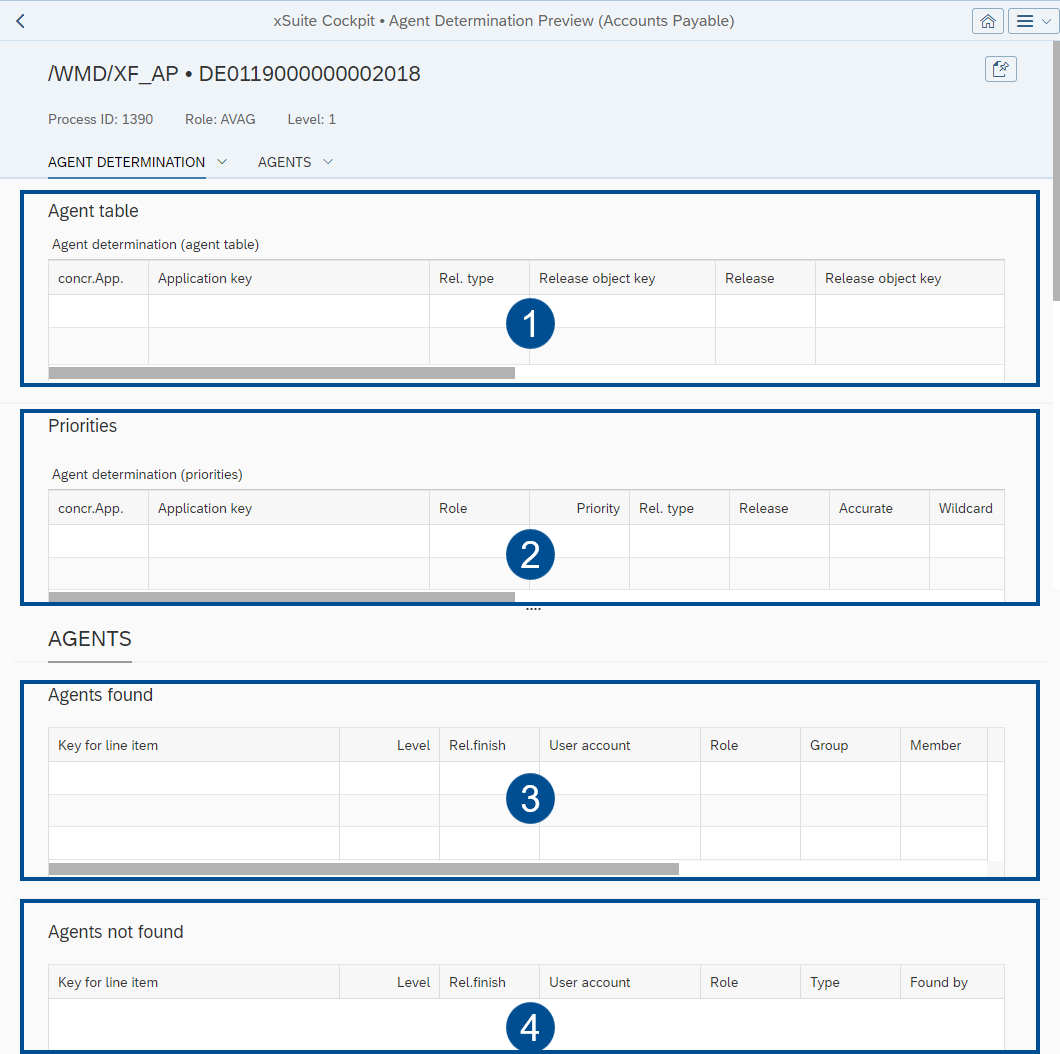
UI elements – SAP Fiori
 |
Element | Description | |
|---|---|---|
1 | Agent table | Shows the extract from the agent table on the basis of which the agent or agents were found. |
2 | Priorities | Shows the extract from the priority table, on the basis of which the agent or agents were found. |
3 | Agents found | Displays a list of all agents found for the workflow task in which the selected document is located. |
4 | Agents not found | Displays a list of items for which the xSuite Agent Table Maintenance is incompletely maintained. |