"Complete Document" (Role LAC1)
The workflow task "Complete document" is comprised of the manual completion of a document.
In the standard MM workflow, manual completion comes after the workflow task "Approve document" if the document was not automatically parked in the background or could not be completed by the automatic data transfer from the account-assignment block.
After manual completion, the status of the document changes from "Parked" to "Parked complete."
UI – SAP GUI
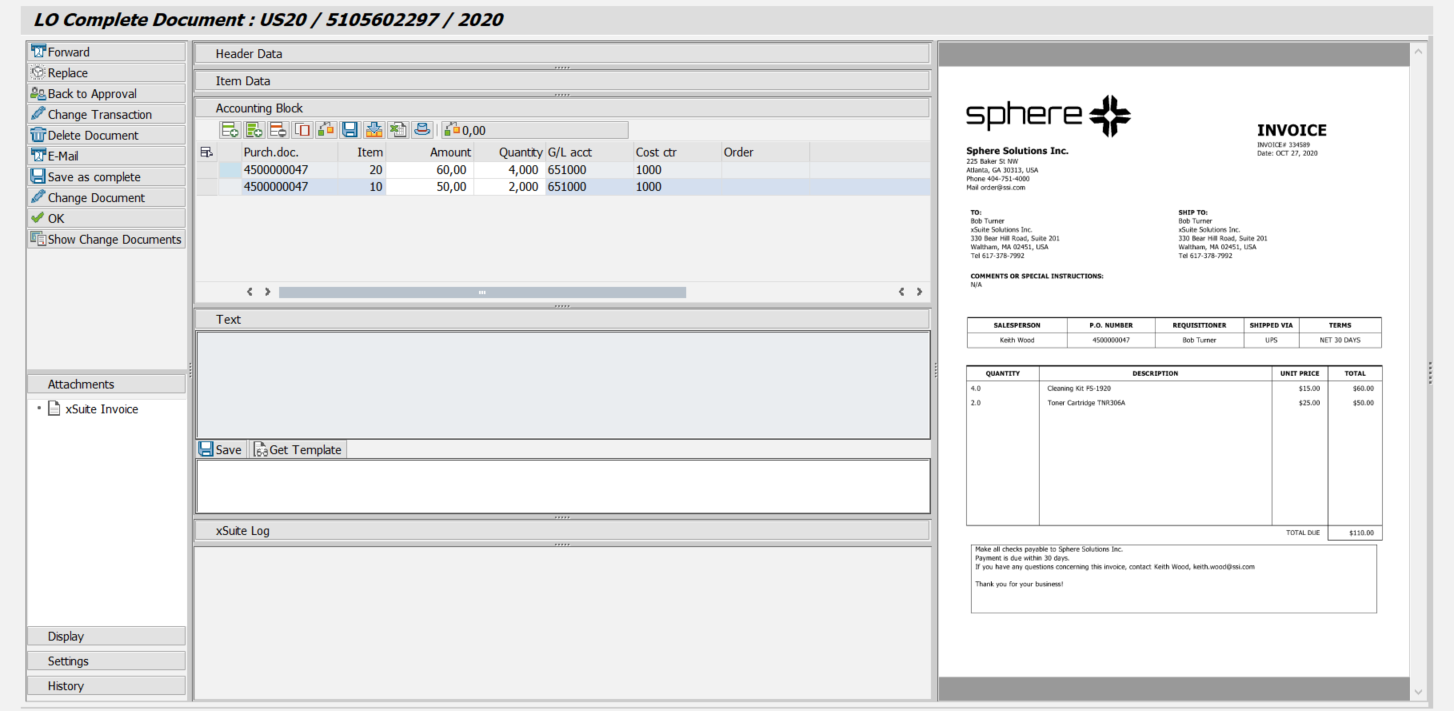 |
UI – SAP Fiori
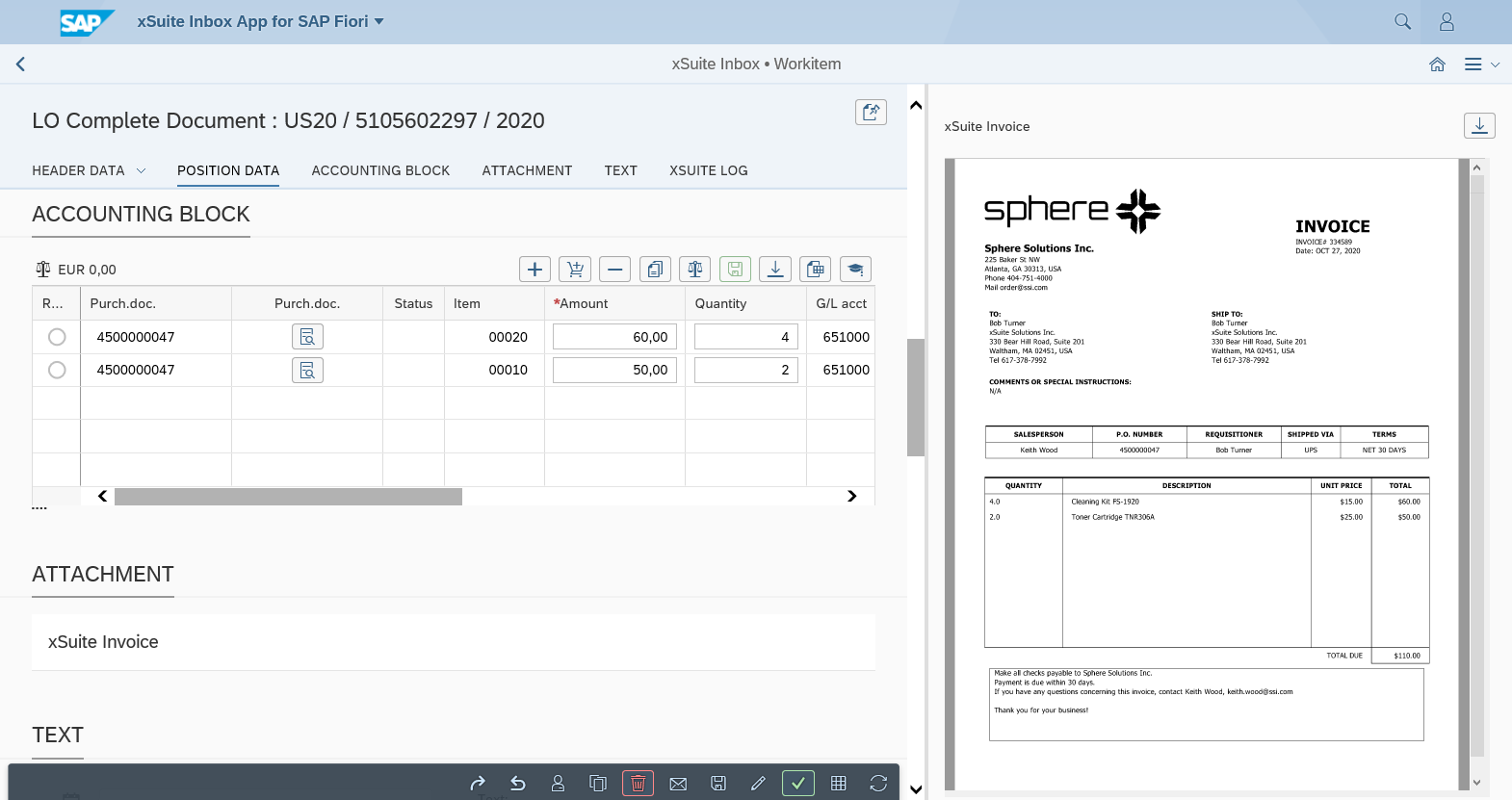 |
UI – xSuite Web
 |
For information on UI elements, see Work Items: Main Overview in the SAP GUI, Work Items: Main Overview in SAP Fiori, and Work Items: Main Overview in xSuite Web.
"Complete Document": Buttons
SAP Fiori | SAP GUI / xSuite Web | Description |
|---|---|---|
| Forward | |
| Replace | |
| Back to Approval | |
| Change Transaction | |
| Delete Document | |
| ||
| Save as complete | Shortcut in the SAP GUI: CtrlF6 |
| Change Document | In xSuite Web and in SAP Fiori, the SAP document is opened via the Internet Transaction Server Service (ITS). |
| OK | Shortcut in the SAP GUI: CtrlF5 |
| Show Change Documents | |
| Refresh | Note: This button is only available in xSuite Web and in SAP Fiori. |
| Back | Note: This button is only available in xSuite Web and in SAP Fiori. |


"Complete Document": Buttons for the Accounting Block
SAP GUI | SAP Fiori | xSuite Web | Name/Description |
|---|---|---|---|
|
|
| Add row: Inserts a new account-assignment row. Shortcut in the SAP GUI: ShiftF6 |
|
|
| Add purchase order item: Inserts a purchase order item from an existing purchase order. |
|
|
| Delete row: Deletes the account-assignment row selected. |
|
|
| Copy row: Copies the selected account-assignment row. |
|
|
| Check: Checks all items. For information on the approval of an invoice document, see Invoice Document Check. Shortcut in the SAP GUI: ShiftF7 |
|
|
| Save: Saves accounting block information. Shortcut in the SAP GUI: ShiftF8 |
|
|
| Synchronize from SAP document: Transfers the account-assignment information from the SAP document to the account-assignment block. |
|
|
| Synchronize to SAP document: Transfers the account-assignment information from the account-assignment block to the SAP document. The availability of this button depends on how xSuite has been customized. |
|
|
| Upload Excel document: Uploads a selected Excel file and transfers the account assignment rows from the Excel file to the account-assignment block. The structure of the selected Excel file must correspond to the structure of the account-assignment block. When naming the Excel file, never use a space directly preceding the dot and the file extension. |
|
|
| Header data: Opens a partially editable overview of the header data. |
|
|
| Balance: |


