Invoice Monitor: Main Overview in SAP Fiori
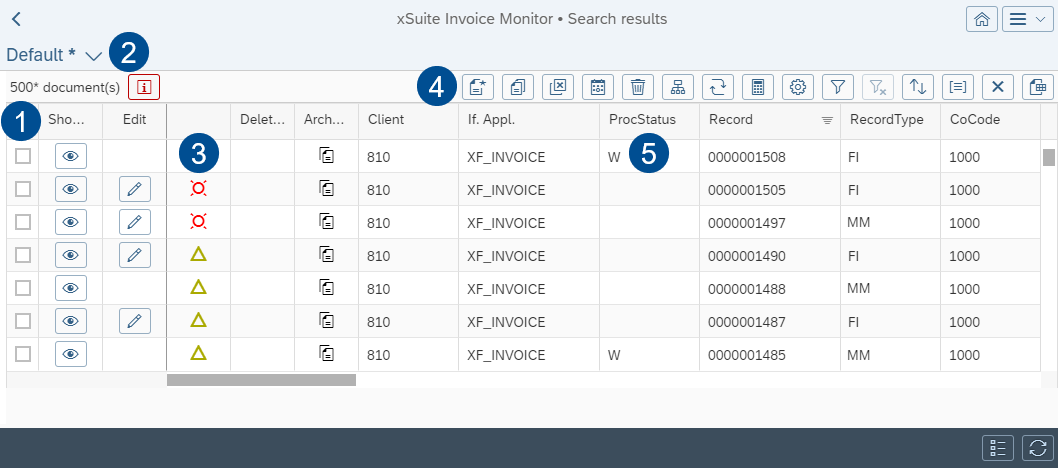 |
Section | Description | |
|---|---|---|
1 | Invoice Monitor columns | You can change column selection with the button For information on the columns, see Appendix B, Invoice Monitor: Columns. |
2 | Views | For information on views, see Views in SAP Fiori. |
3 | Document status | The document status indicates the current processing step of the document. For information on document status, see Invoice Monitor: Document Status. |
4 | Invoice Monitor buttons | |
5 | Processing status of a document | The processing status indicates the status of document processing. For information on the processing status, see Invoice Monitor: Processing Status. |
