Option 1: User with database role "Server Administrator"
The first way to prepare the database is to use a database user with the "Server Administrator" (SA) database role.
A database user must be created for this purpose (default user name: xSuiteService). The password must be made known to the editor, and the sysadmin server role must be maintained for the database user.
When this user is set up, the installation can be executed without having set up a database in advance. Given that the database, the tables, and the required entries are created one after the other, this is the procedure that xSuite Group GmbH recommends.
When testing the connection to the database during the xSuite Bus setup, the following dialog will appear:
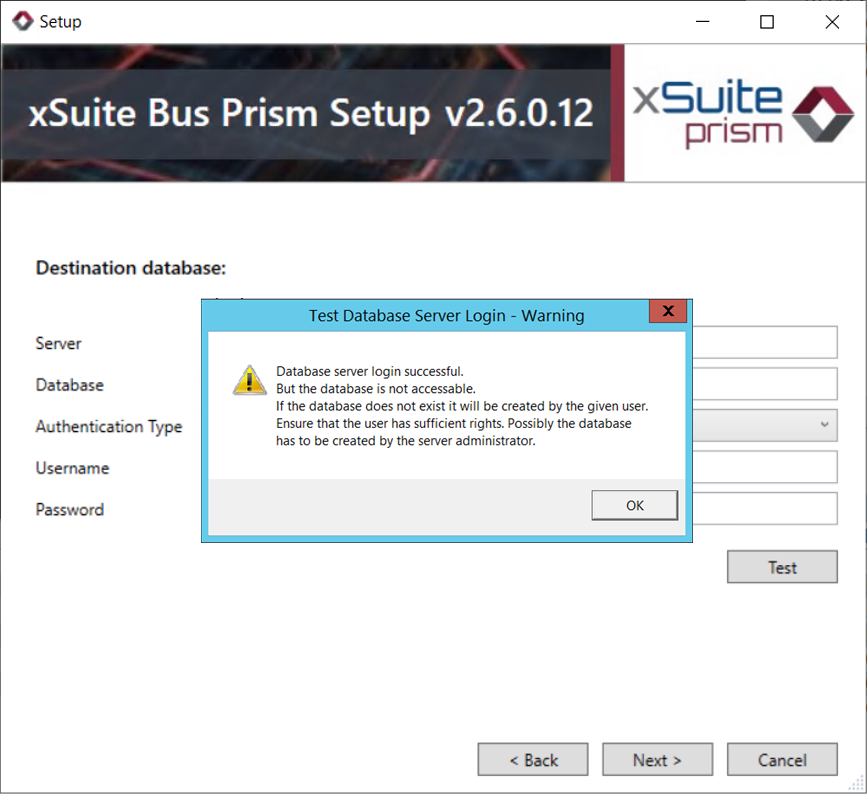 |
This dialog informs the user that it was possible to connect to the database server but that a database with the name "xSuite Bus" does not exist. Note that it is set up during installation and that the database user entered must possess the respective authorizations in order to ensure that the attempt does not go wrong.