Configuring the Microsoft Internet Information Service (IIS)
To set up and execute the web services correctly, settings to server roles and features need to be customized. These server settings are demonstrated based on a Microsoft Server 2012 R2.
Notice
The individual sub-points can be found elsewhere in other server versions, e.g. Microsoft Server 2008 R2. This documentation only indicates the path for configuring the Microsoft Server 2012 R2. Roles and features, however, must likewise be maintained in other server versions.
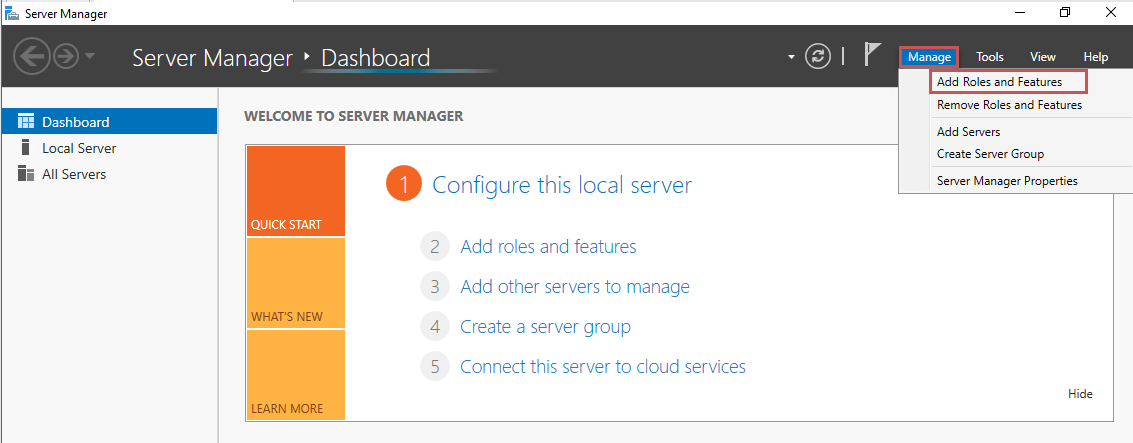
Open the Server Manager.
Click on Manage and select Add Roles and Features.
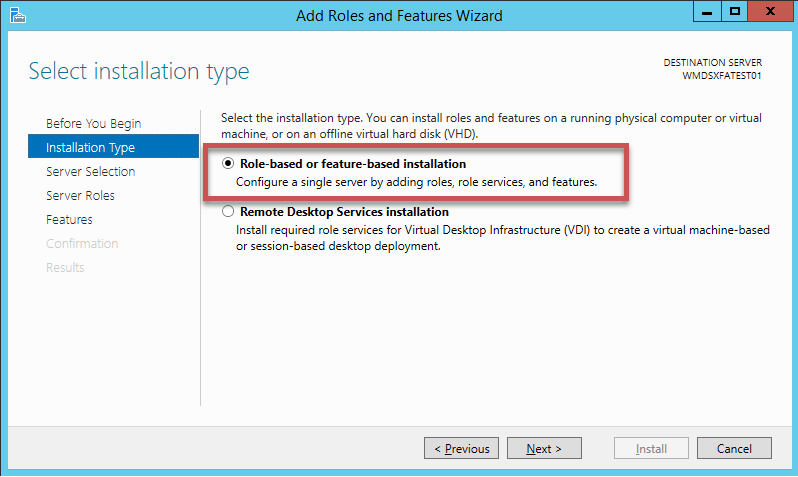
Select the option Role-based or feature-based installation, and then click Next.
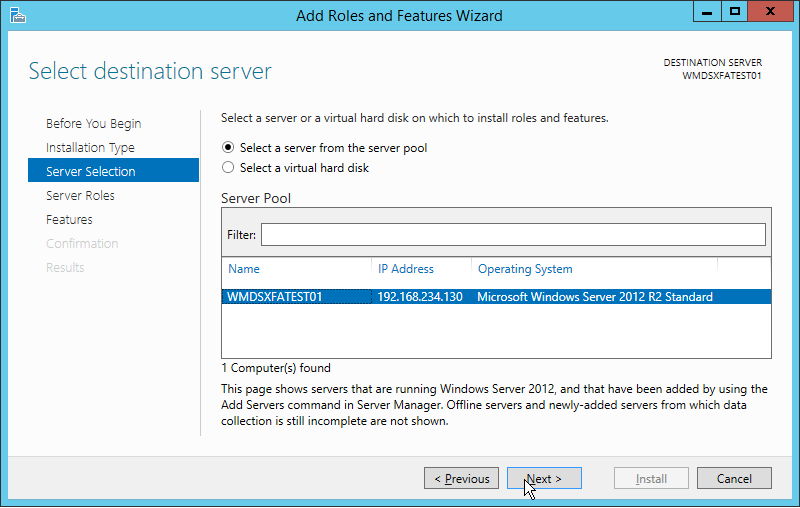
Select the server on which you want to install the roles and features, and then click Next.
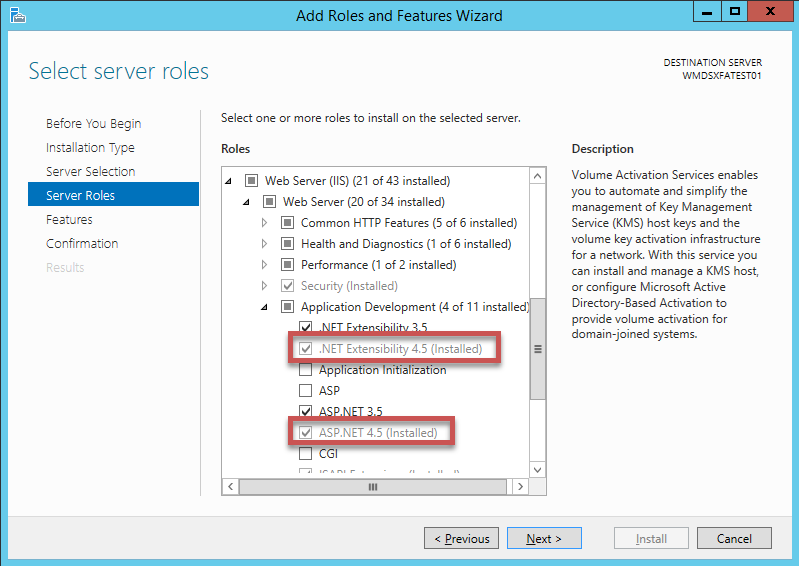
Select the entries .NET Extensibility 4.5 and ASP.NET 4.5, and then click Next.
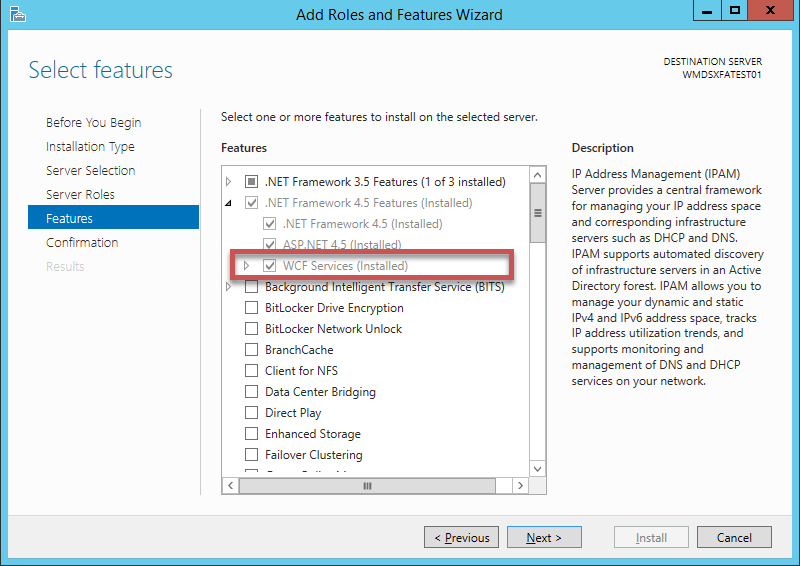
Select the WCF Services entry.
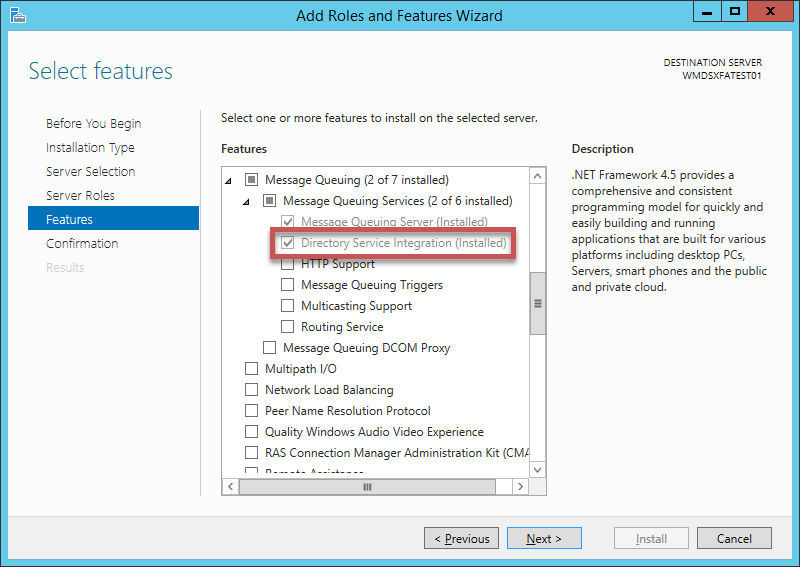
Select the Directory Service Integration entry and then click Next.
Check your specifications and click Install.
➣ Configuration is now complete and the installation will be executed.