Document Conversion
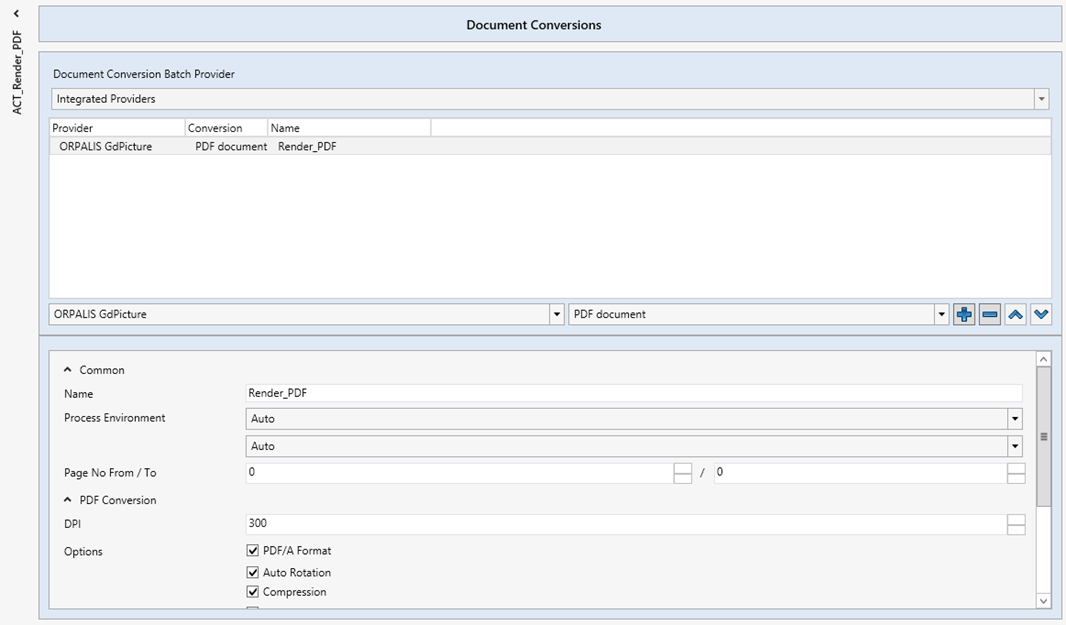
In the section Document Conversion, you can select the actions you want to use for converting documents.
In the following sections, we will address the configuration of these actions.
 |
Document conversion with the xSuite Bus integrated solution
When the agent selects the drop-down menu with the item Integrated Provider, the settings that can be used for configuring the xSuite Bus actions in tandem with the engine ORPALIS GdPicture.
This solution is generally used to convert incoming documents into PDF, TIFF or PNG. It is included in the xSuite Bus license and must not be purchased separately.
 |
Parameter | Description |
|---|---|
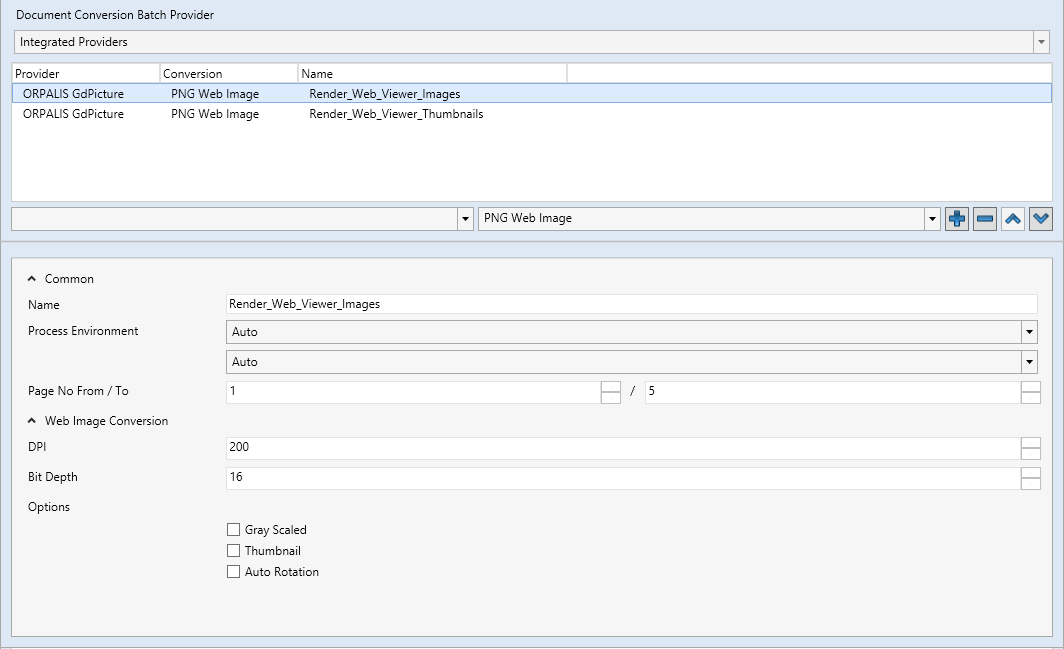
Provider | When Integrated Providers is selected for document conversion, the only provider available will be ORPALIS GdPicture. |
Conversion | Here, you can select the desired conversion to be made available by the ORPALIS GdPicture engine.
|
Common | Settings for conversion. |
Name | Name of conversion for the purposes of differentiation when multiple conversions are to be maintained. The name entered here appears in the table above under Name. |
Process Environment | Here you can set how the action is to be executed in terms of processor and storage. The default setting for the processing is Auto. |
Page No From / To | Specify the pages of the data conversion here (from page.../ to page...). In the standard version, these fields are populated with NoticeTo ensure a correct display in the xSuite Viewer, the specification of the page numbers in the following actions must be identical:
|
Web Image Conversion | Settings for the Conversion of the PNG Files |
DPI | Resolution (Dot per Inch) that is generated and output from the conversion. The higher the DPI, the better the quality. In the standard version, when using this together with the xSuite Viewer, a resolution of 200 DPI is recommended. |
Bit Depth | Here, the color depth is set in bits. In the standard version, this is 16 bits. |
Options | You can select from the following options:
|