SSL certificate
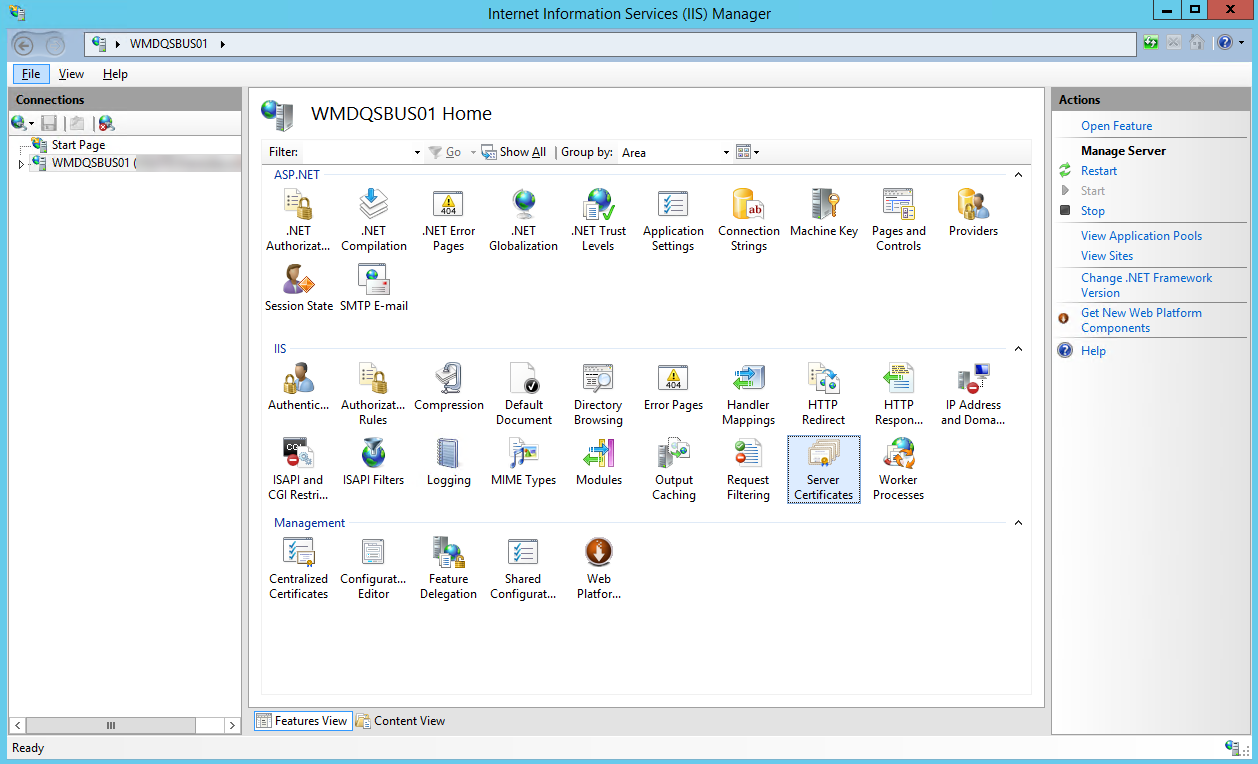
To switch to the SSL encryption of the transport, the customer must make an SSL certificate available, already registered on the local IIS of the server. You can check whether a certificate has been registered in the IIS under IIS Webserver → Server Certificates.
 |
Binding the certificate to the xSuite Bus Prism WebSite
The certificate that is set up on the Internet Information Server (IIS) must be bound to the xSuite Bus Prism WebSite page as follows:
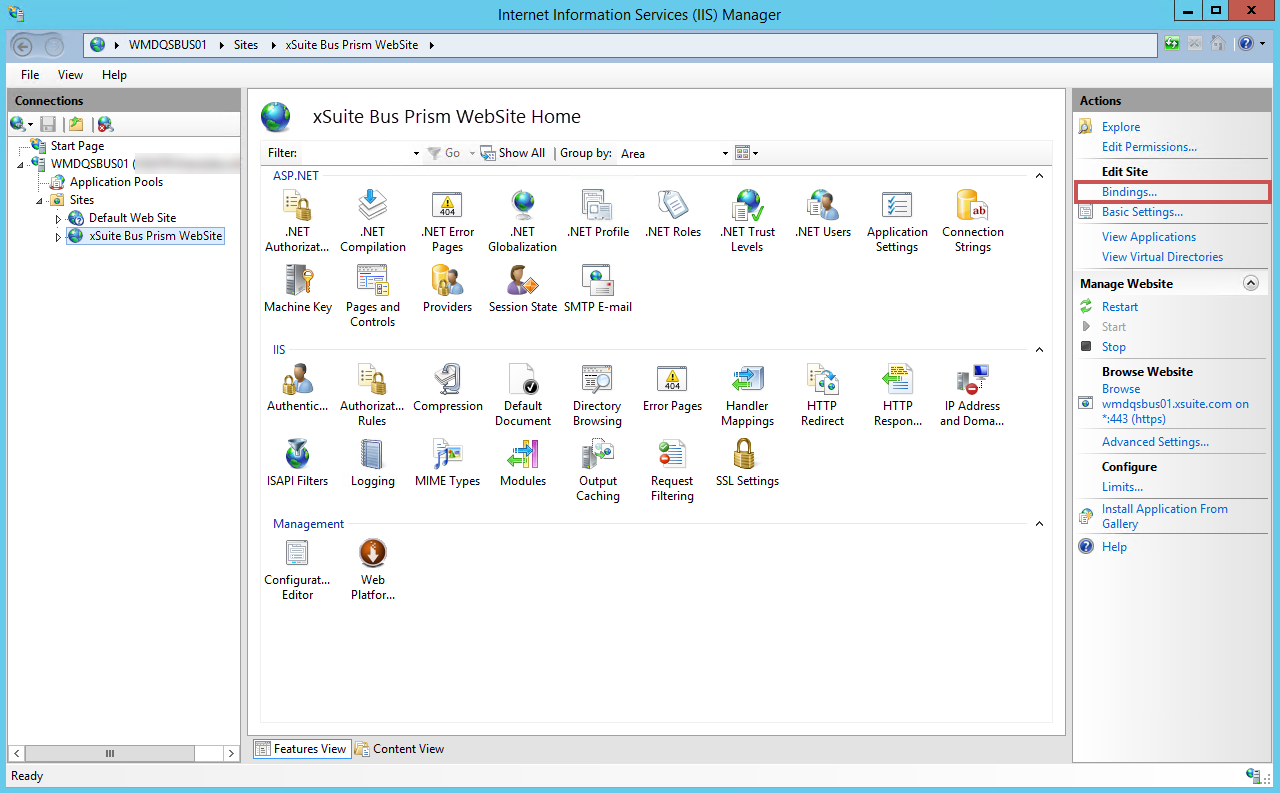
In the IIS Manager, open the xSuite Bus Prism WebSite page.
In the Actions pane, click Bindings.
Add a new binding according to the following pattern:
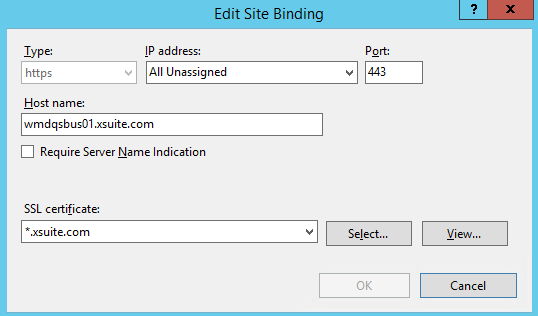
In the Host name field, replace the existing name with the host name of the company.
In the SSL certificate pick list, select the certificate imported at the IIS and intended for this purpose.
Click OK.
Open the xSuite Bus Prism WebSite page and click the Restart button in the Manage Website area.
➤ The website will be restarted in the Internet Information Server (IIS) Manager.
➤ The SSL certificate is bound to the website.