Customizing application pool identity in the IIS
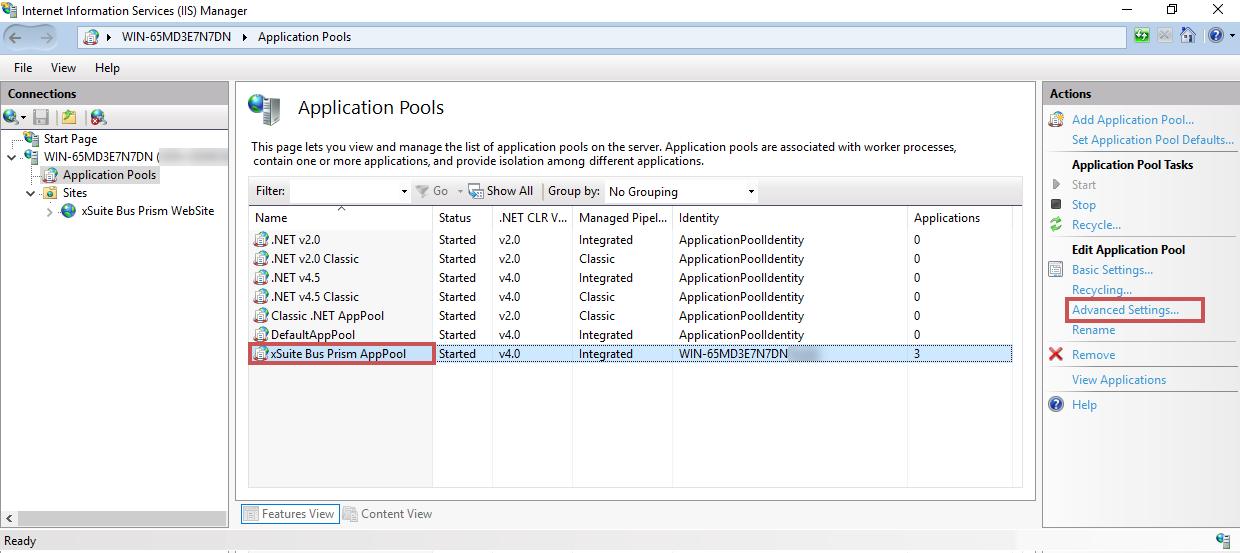
In the IIS Manager, open the Application Pools menu item.
Select the xSuite Bus Prism AppPool entry and then click Advanced Settings....
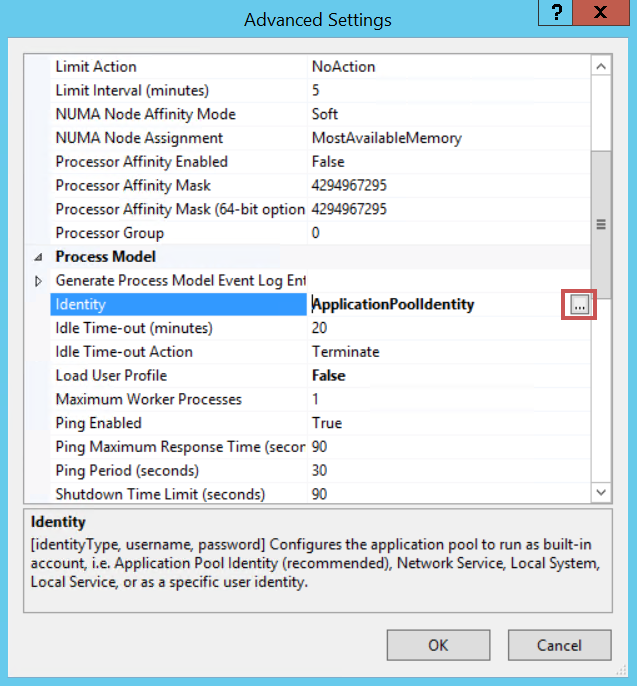
Go to Process Model → Identity and click
 .
.
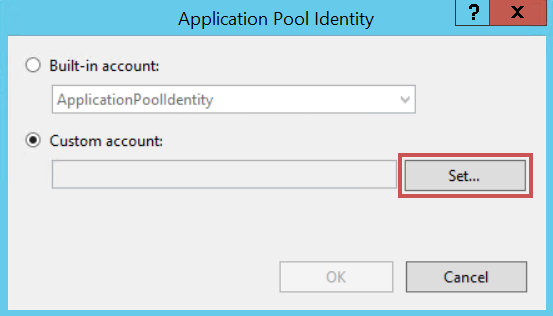
➣ The Application Pool Identity dialog will open.
Select the option Custom account, and then click Set....
➣ The Set Credentials dialog will open.
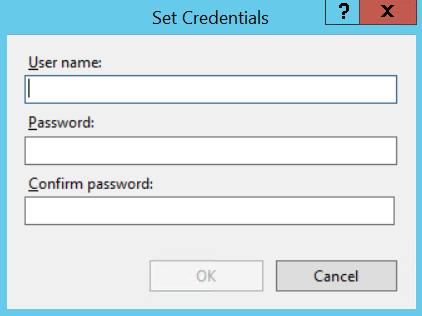
In the User name field, enter the name of a user who owns the
DB_Ownerdatabase role for the xSuite Bus database.Enter the password of this user in the Password field and in the Confirm password field.
Click OK.
➤ The application pool identity is now customized.