The domain manager
You can add new domains or remove existing domains in the domain manager.
Adding a domain
Open Encore administration.
Click on Domain Manager.
➣ The domain manager will open.
Click
 Add.
Add.➣ The New Object dialog will open.
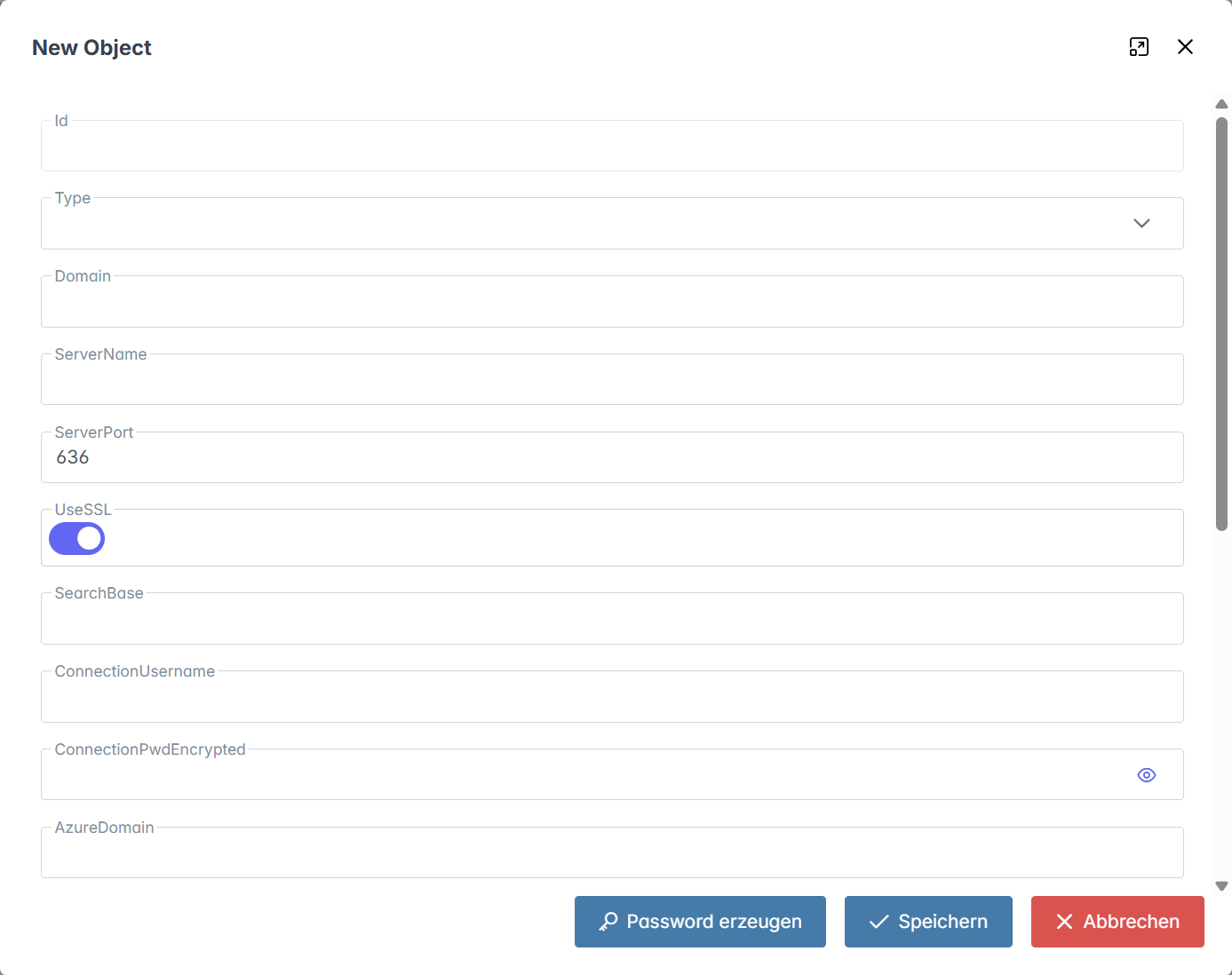
Select one of the following directory services from the drop-down list Type:
ActiveDirectoryApacheDSAzureDS
Enter the domain data in the Name, Server, and Port fields.
If required, activate the Use SSL checkbox to activate SSL encryption.
Enter the search base in the SearchBase field.
Enter the search filter in the SearchBaseAttribute field.
Enter the user name in the Connection Username field and the user password in the Connection Password field.
Notice
If you click on the Create password button, the system will generate a password for you.
Click on Save.
➤ The domain has now been added.
Deleting a domain
Open Encore administration.
Click on Domain Manager.
➣ The domain manager will open.
Click on an existing domain.
➣ The domain data will open in a dialog.
Click Delete.
➣ A security prompt will open.
Confirm the security prompt with Yes.
➤ The domain has now been deleted.