Archive statistics
Archive statistics provide an overview of the statistical details of your archives. Such details might include the number of documents, memory usage and index size.
In the Archive node, you will see archive overview with the number of documents per archive.
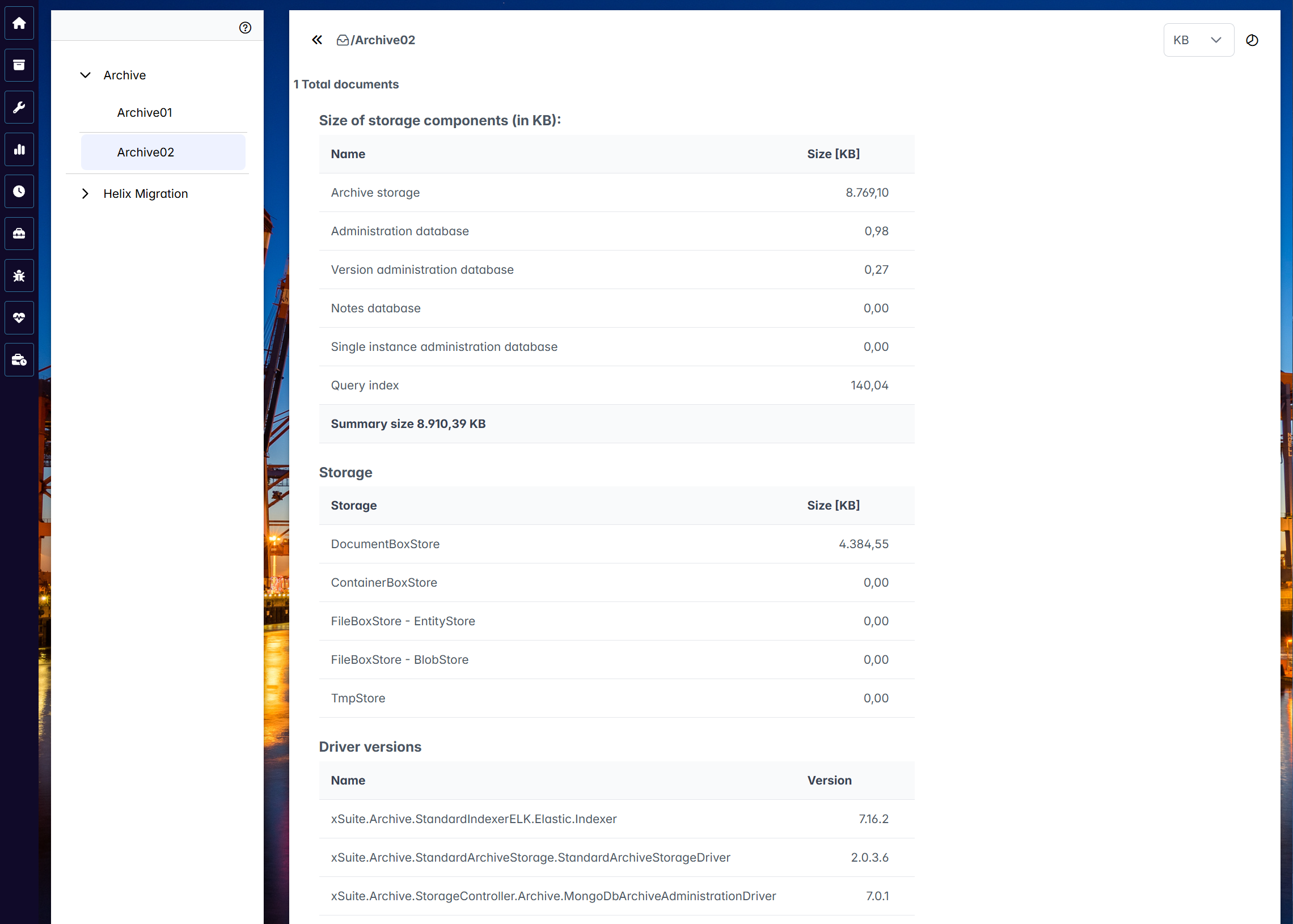
To see the details of an archive, click on it. The following information will appear:
The size of the individual components (archive storage, databases, index)
The size of the archive shelves (DocumentBox, ContainerBox, FileBox)
The version numbers of Elasticsearch, xSuite Archive Prism and MongoDB
You can toggle between the tabular view and the graphical view with the  /
/  button.
 |
The tabular view
The tabular view offers a drop-down list in the top right-hand corner for selecting the size unit to display data. The following size units are available:
KB: KilobyteMB: MegabyteGB: GigabyteTB: Terrabyte
 |
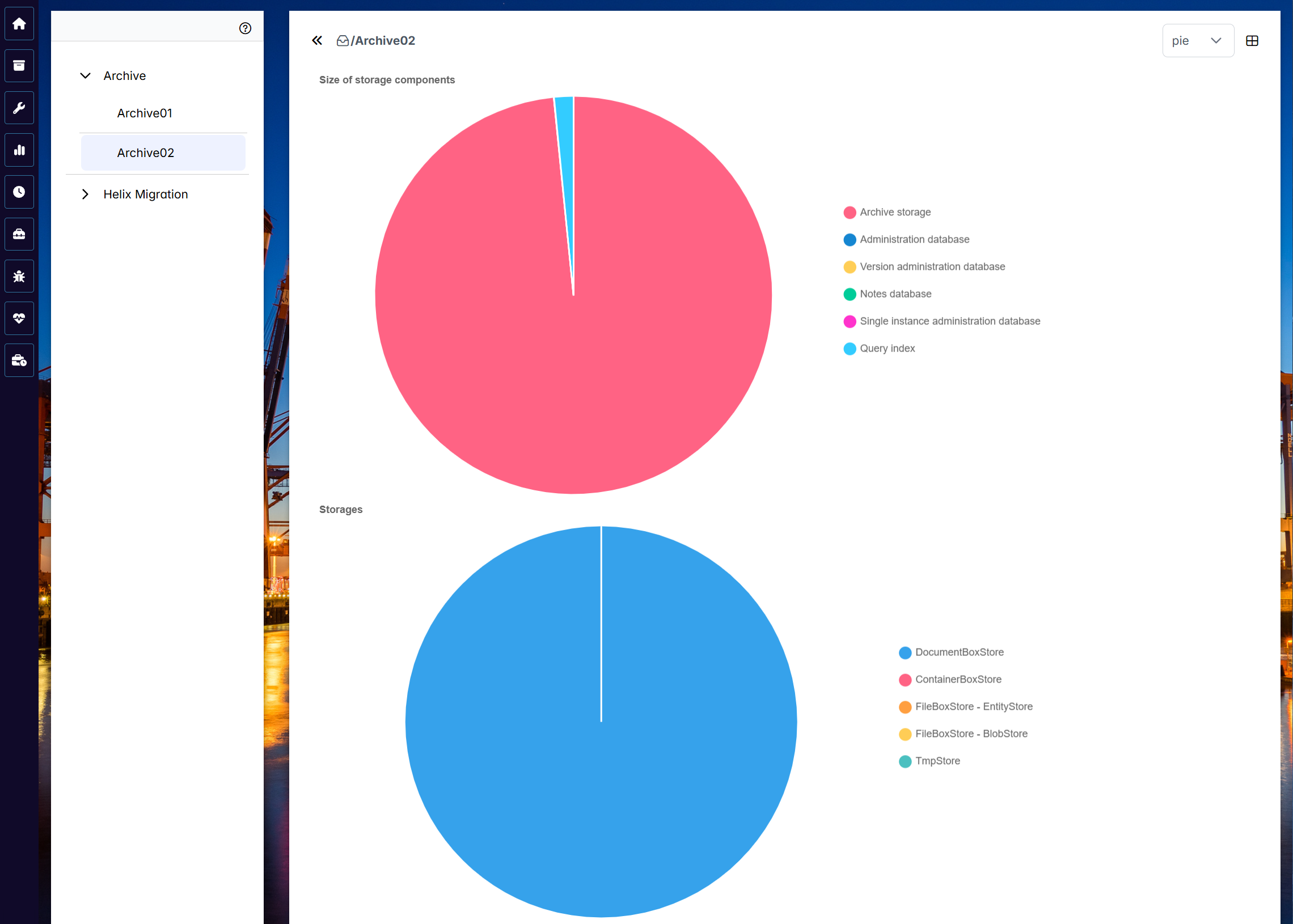
The graphical view
The graphical view offers a drop-down list in the top right-hand corner for selecting a type of visualization – either diagram or chart – for presenting your data.
 |