Correcting workflow errors ("Fix Workflow")
If an error occurs during the workflow of an invoice, you as administrator will receive a task of the type "Fix workflow" in My Inbox. The purpose of this task is to fix the workflow error and continue the workflow for the affected invoice.
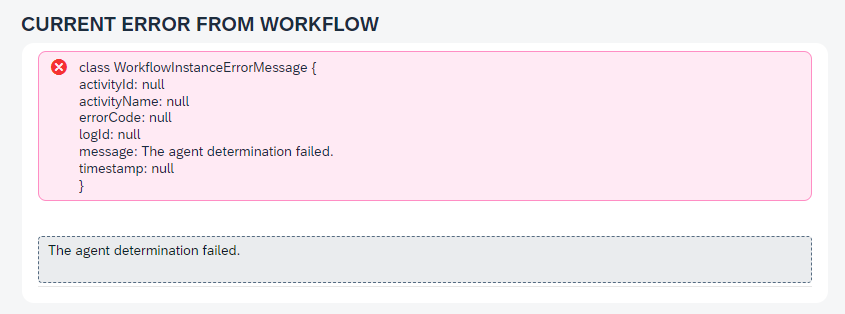
The task contains general data (e.g., record number, xSuite application, and curren workflow task) and any error messages.
 |
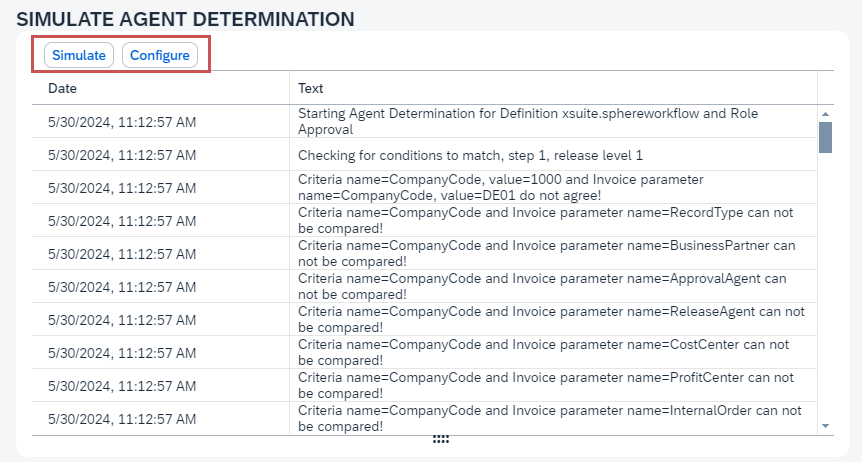
You can detect errors in the configuration by simulating the configuration of agent determination and workflow tasks. To use it, click Simulate. To resolve any errors, click the button Configure, which will take you directly to agent determination or workflow task configuration.
 |
From the "Fix Workflow" workspace, you can also perform any of the following actions:
Assign agents (
 Reassign agent Assign agents button)
Cancel workflow (Cancel Workflow button)
Restart workflow (Reinitialize Workflow button)
Continue workflow (Continue Workflow button)