Post‑deployment tasks for a new version of xSuite Sphere
After a new version of xSuite Sphere has been deployed, you must perform several configuration steps. The required steps depend on the type of functional enhancements included in the deployment.
Notice
An overview of new features and enhancements is available in the Release Notes.
Loading the standard configuration for new features
After every update of xSuite Invoice Sphere, load the standard settings for each application (xSuite Helix Connector, xSuite Invoice Interface, xSuite Scheduler, and xSuite Workflow). This ensures that a working configuration for new features is applied.
Proceed as described in the following sections:
Notice
Loading the default settings will not overwrite any values that you have already configured. Your existing configuration will remain unchanged. Default values are applied only to parameters that have not yet been configured. If necessary, adjust the configuration of the new features afterwards.
Assigning new roles in the xSuite Sphere BTP Cockpit
If a deployment provides new roles for xSuite Sphere, they must be assigned to a role collection. Information about newly delivered roles is available in the Release Notes. Role assignment is performed in the BTP cockpit of xSuite Invoice Sphere.
Notice
If new roles are not assigned, the following issues may occur:
A workflow task within the workflow is not forwarded by xSuite Sphere as expected (the task remains in My Inbox after clicking Approve or Release.
The status of the workflow task does not change after clicking Approve or Release.
Steps
Open the xSuite BTP Cockpit.
Navigate to your global account and subaccount.
From the menu, select Security → Role Collections.
Click the name of the role collection to which you want to add the new role.
➣ A window for selecting roles will open.
➣ The Roles tab is displayed.
➣ All roles currently assigned to the selected role collection are listed.
Click Edit.
➣ An input field will appear below Role name.
Click inside the input field.
➣ The window Select: Role will open.
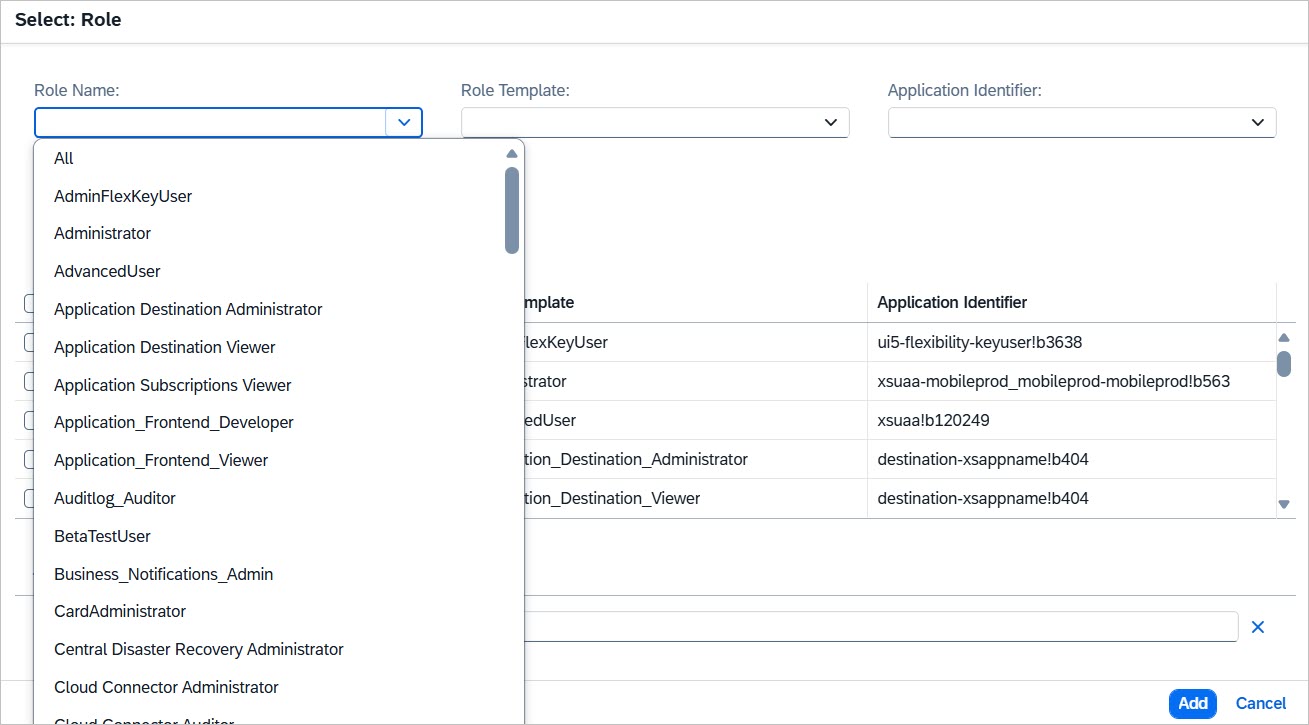
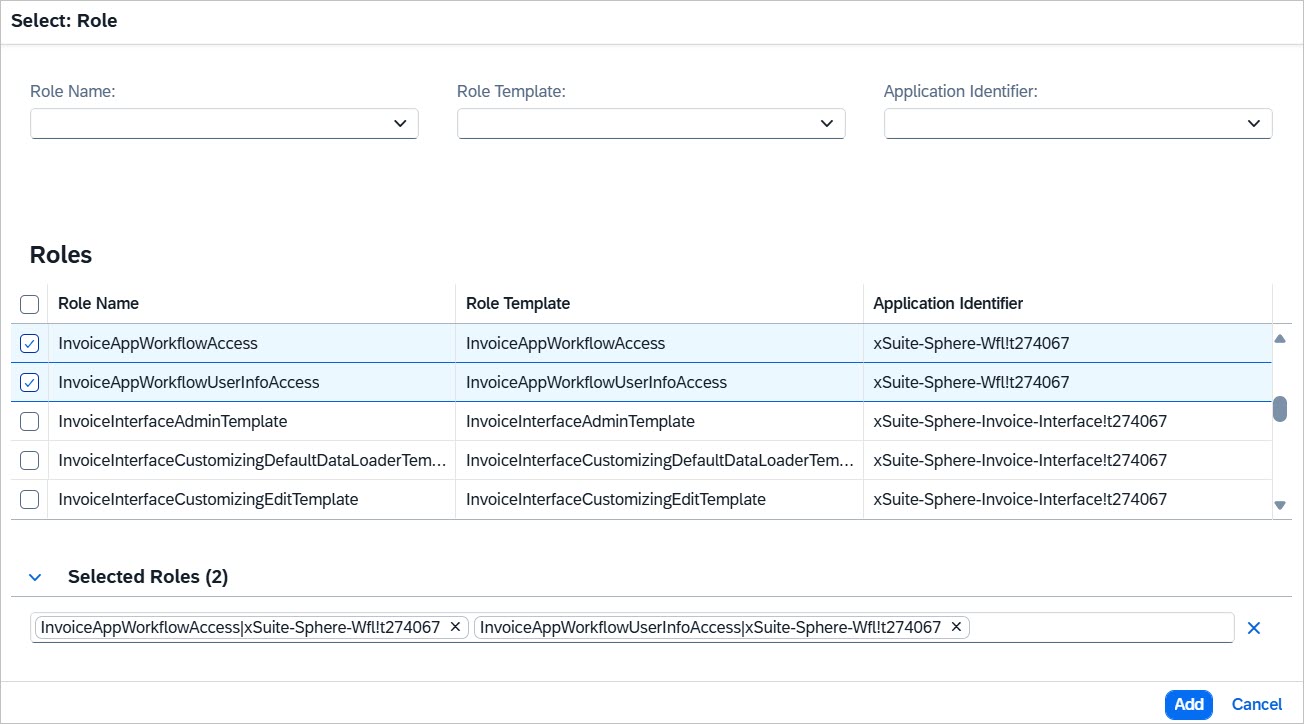
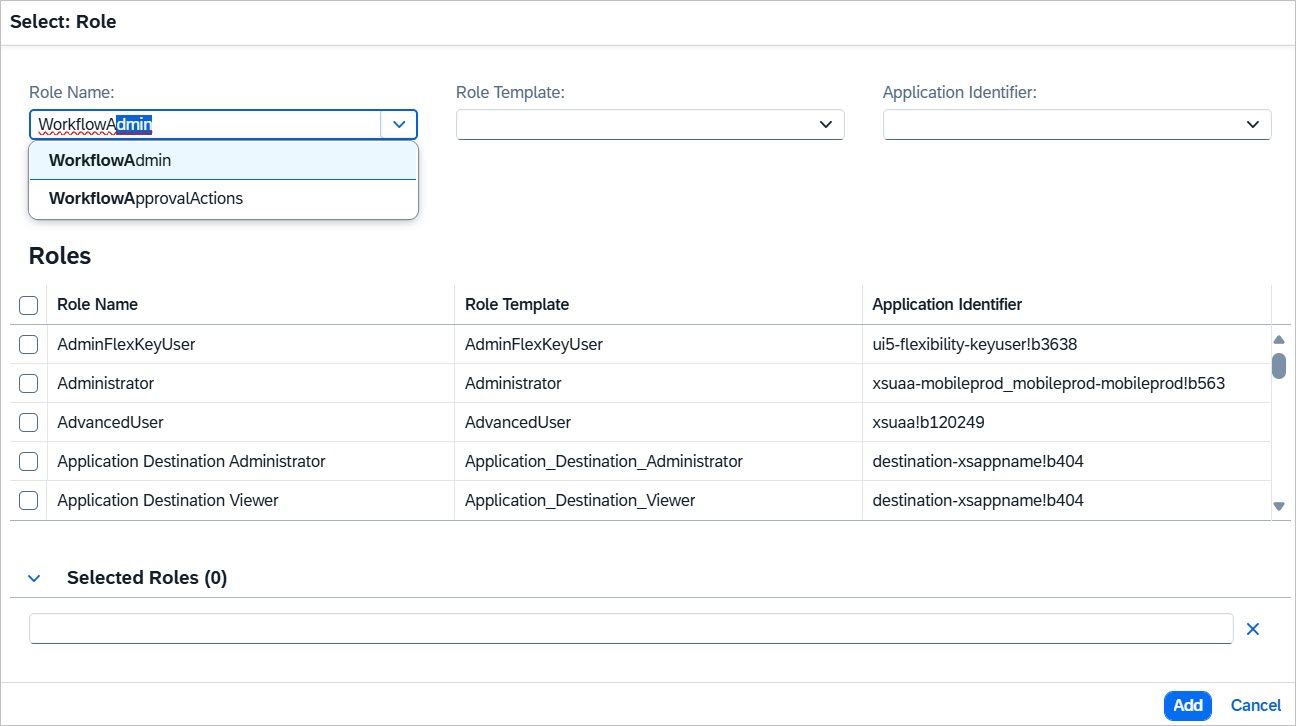
Select the role or roles you want to add. All available roles are displayed in alphabetical order.
Notice
You can select roles in several ways:
Selecting roles using the input help of the field Role Name:
Selecting roles from the list (multiple roles can be selected at once):
Manual entry (case‑sensitive):
Warning
When entering a role name manually, make sure to use uppercase and lowercase letters exactly as defined.
Click Add.
Save your changes.
➤ The new roles have been assigned.
Notice
For further information on working with role collections, refer to the SAP Documentation.