Input help
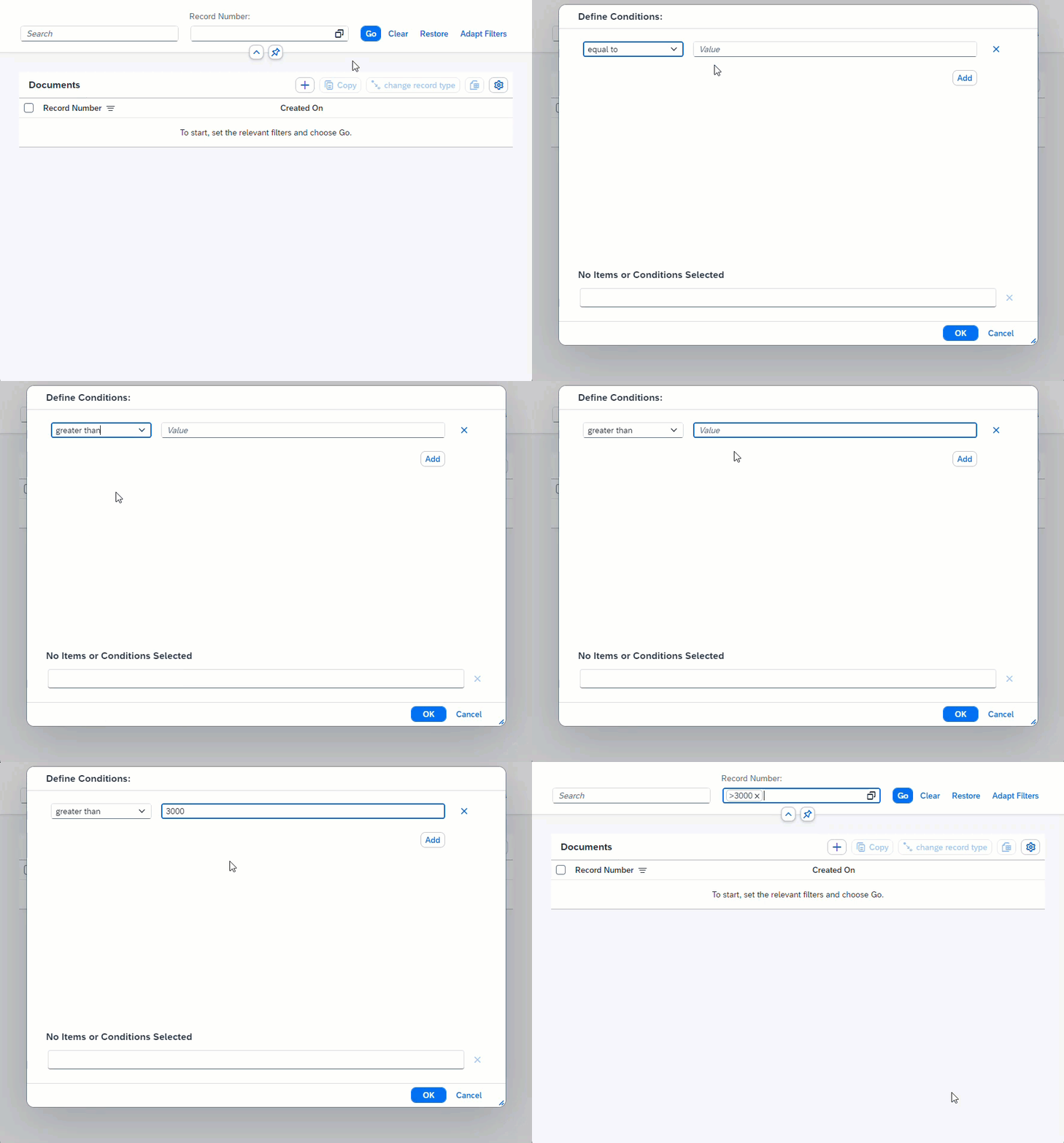
Input help supports you by providing input options for fields. What type of input help is available depends on what type of value a field requires.
Input help for fixed values
Input help for fixed values is indicated with the icon  . It offers predefined value options.
 |
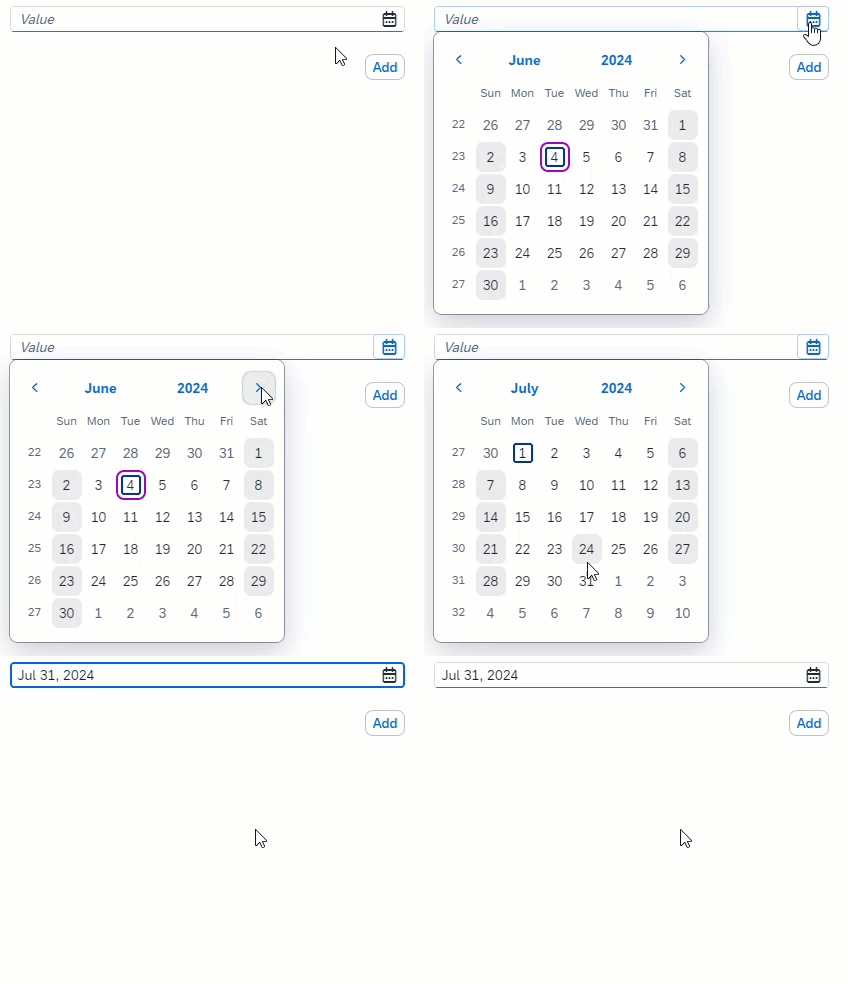
Input help for date values
Input help for date values is indicated with the icon  . Click the calendar to specify the year, the month, and the day.
 |
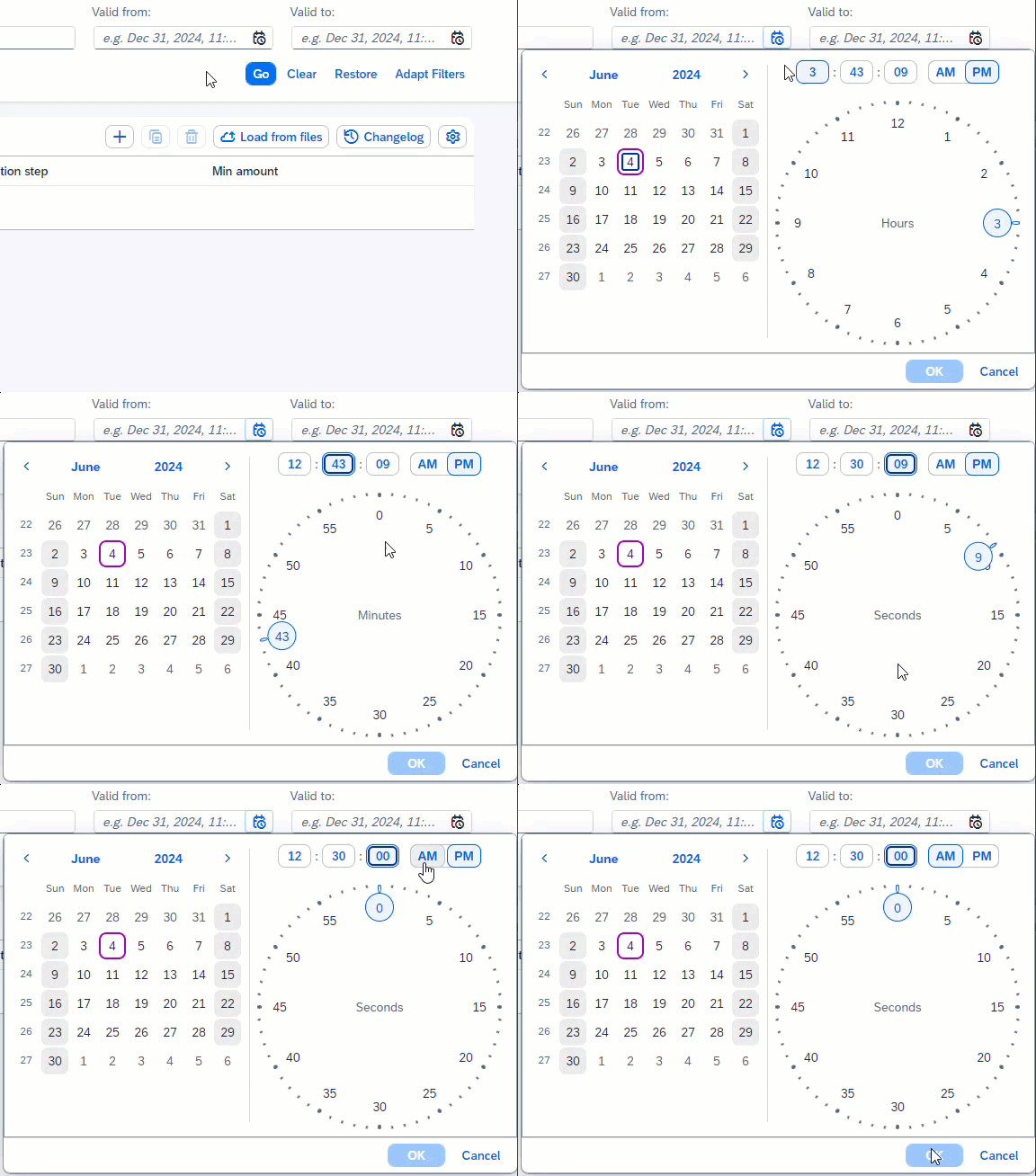
Input help for time values
Input help for time values is indicated with the icon  . Click the clock to enter hours, minutes and seconds. A time entry must always be specified in combination with a date entry.
 |