Deleting a workflow group
Caution
Do not delete the AdminGroup workflow group. If this group is deleted, the tasks for processing workflows with errors will not be sent to any user.
On the start page, click on the tile Workflow Agents.
➣ User administration will open.
Click on the tile Groups.
Click Go.
➣ All existing groups will now be displayed in the list.
Select one or more groups that you want to delete.
Caution
The workflow group has now been permanently deleted and cannot be restored.
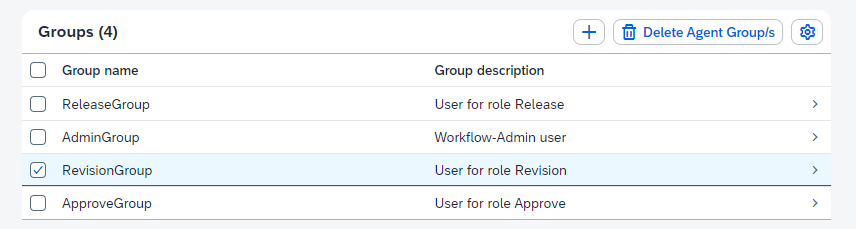
Click the button Delete Agent Group/s.
➤ The workflow group has now been deleted.