Structure of the Document Hub
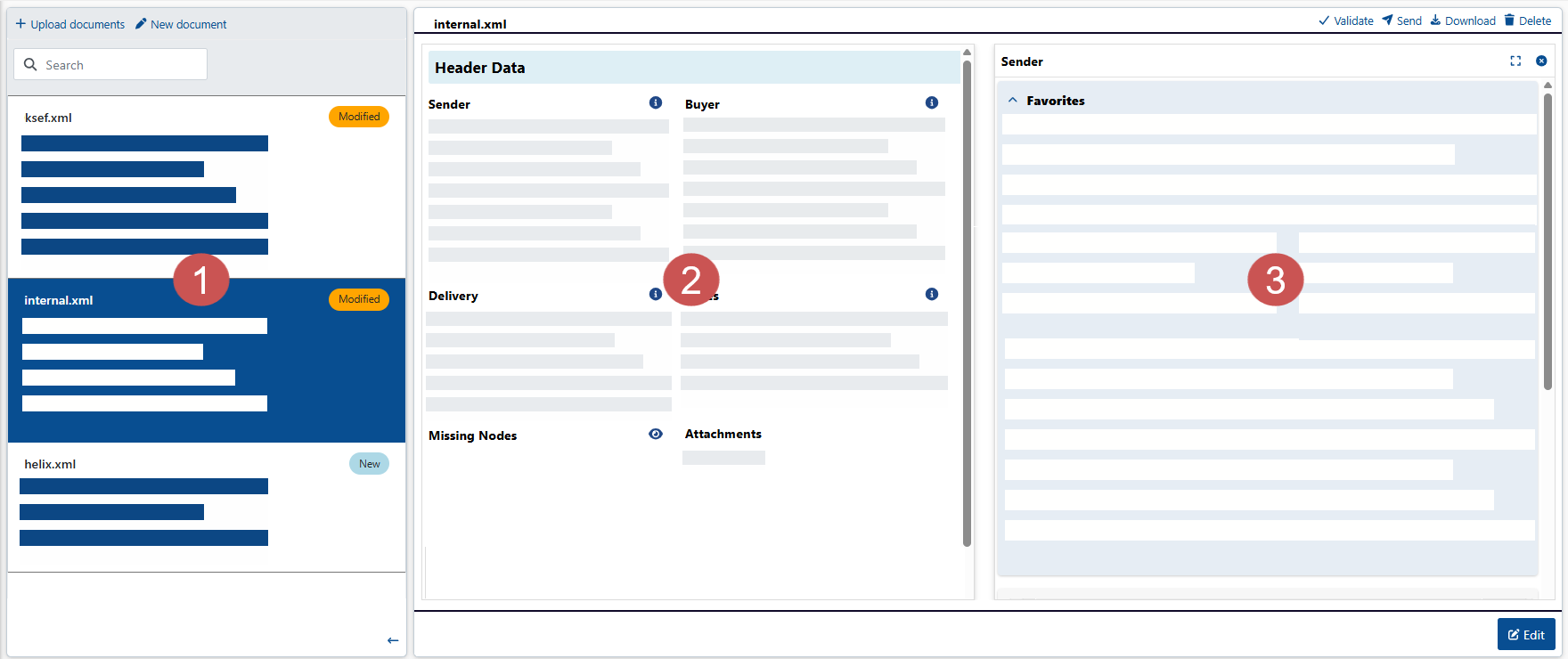 |
Section | Description | |
|---|---|---|
1 | Document list | The document list shows all documents that have been newly created or are being edited. Each document has a status, which is displayed as a label next to the document in the document list. The following statuses are available:
TipUse the button |
2 | Main view | The main view shows the key data of the document you selected from the document list. These key data includes, for example, sender information, payment information, and item data. To activate edit mode, click the Edit button in the main view. In edit mode, all fields are editable. All mandatory fields, which are required according to the EN 16931 standard, are highlighted in red and marked with an asterisk (*). |
3 | Detail view | The detail view shows further document data. The detail view includes both the fields that are displayed in the main view and additional fields that are hidden in the main view. By clicking the button |


