"Select Approver" (Role ORSV)
The workflow task "Select approver" is comprised of manual agent selection. You can select a single agent or multiple agents.
Notice
If one or more agents have already been determined for the workflow task "Approve document", the workflow task "Select approver" will be performed automatically in the background.
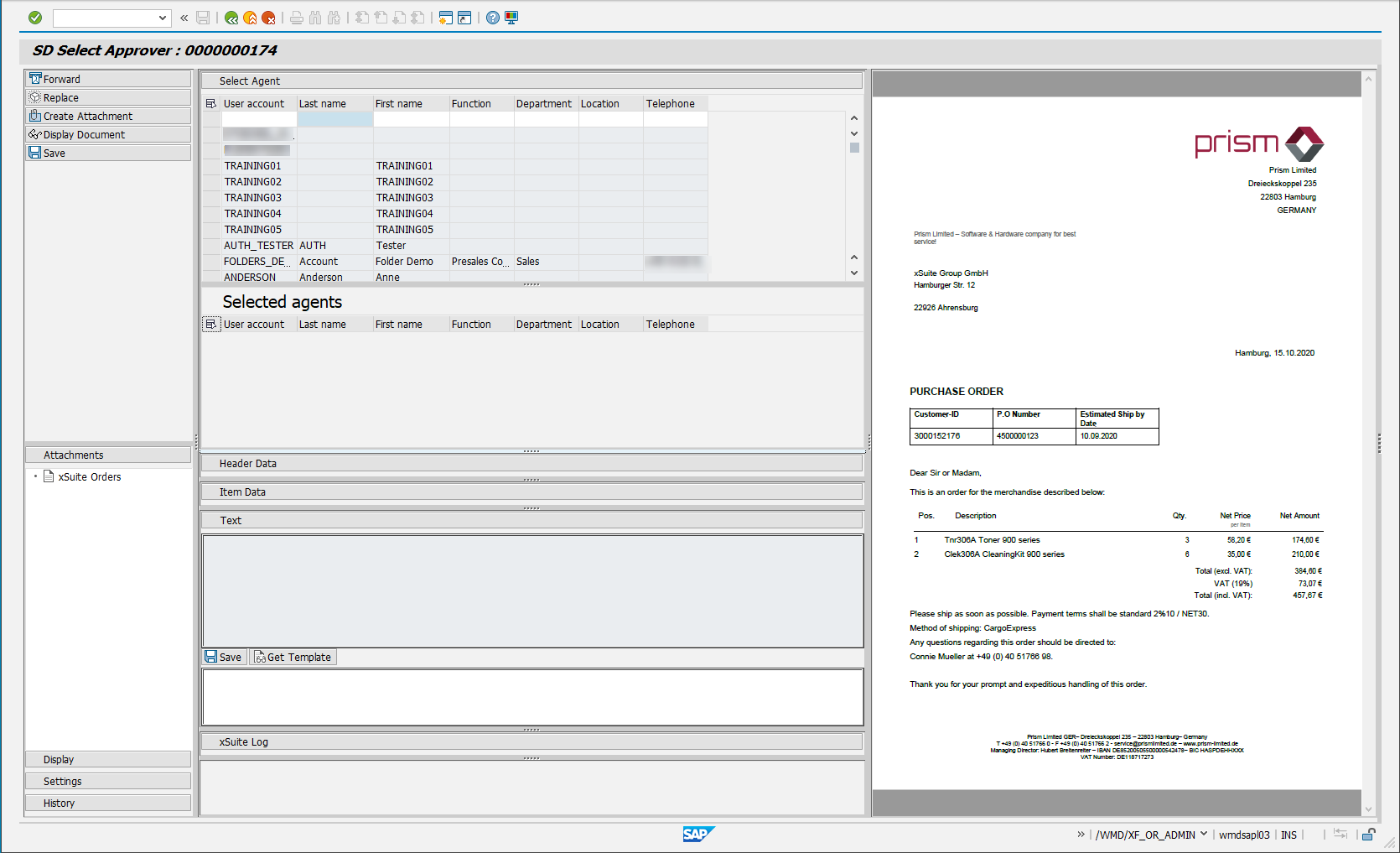
UI – SAP GUI
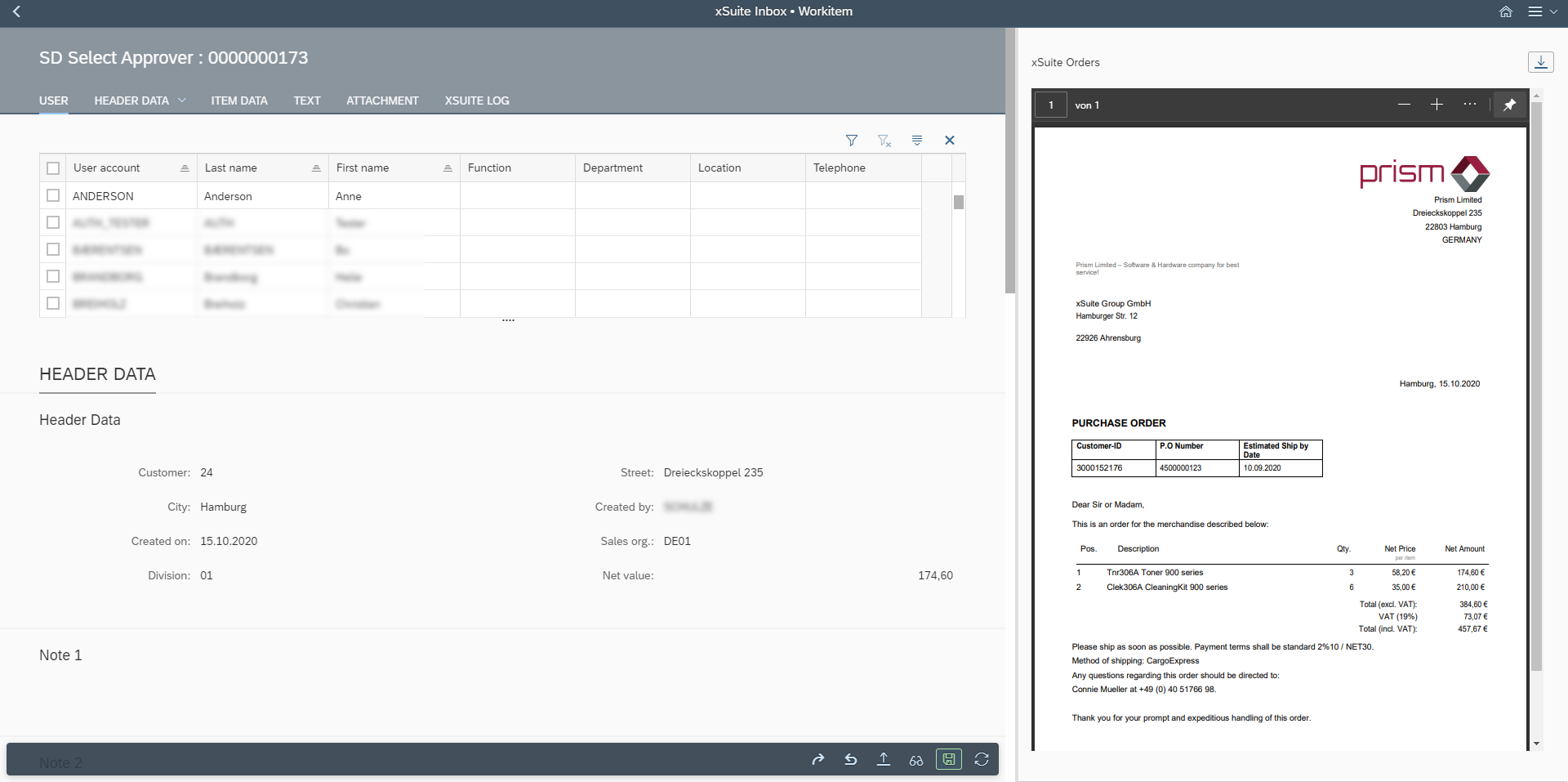
UI – SAP Fiori
UI – xSuite Web
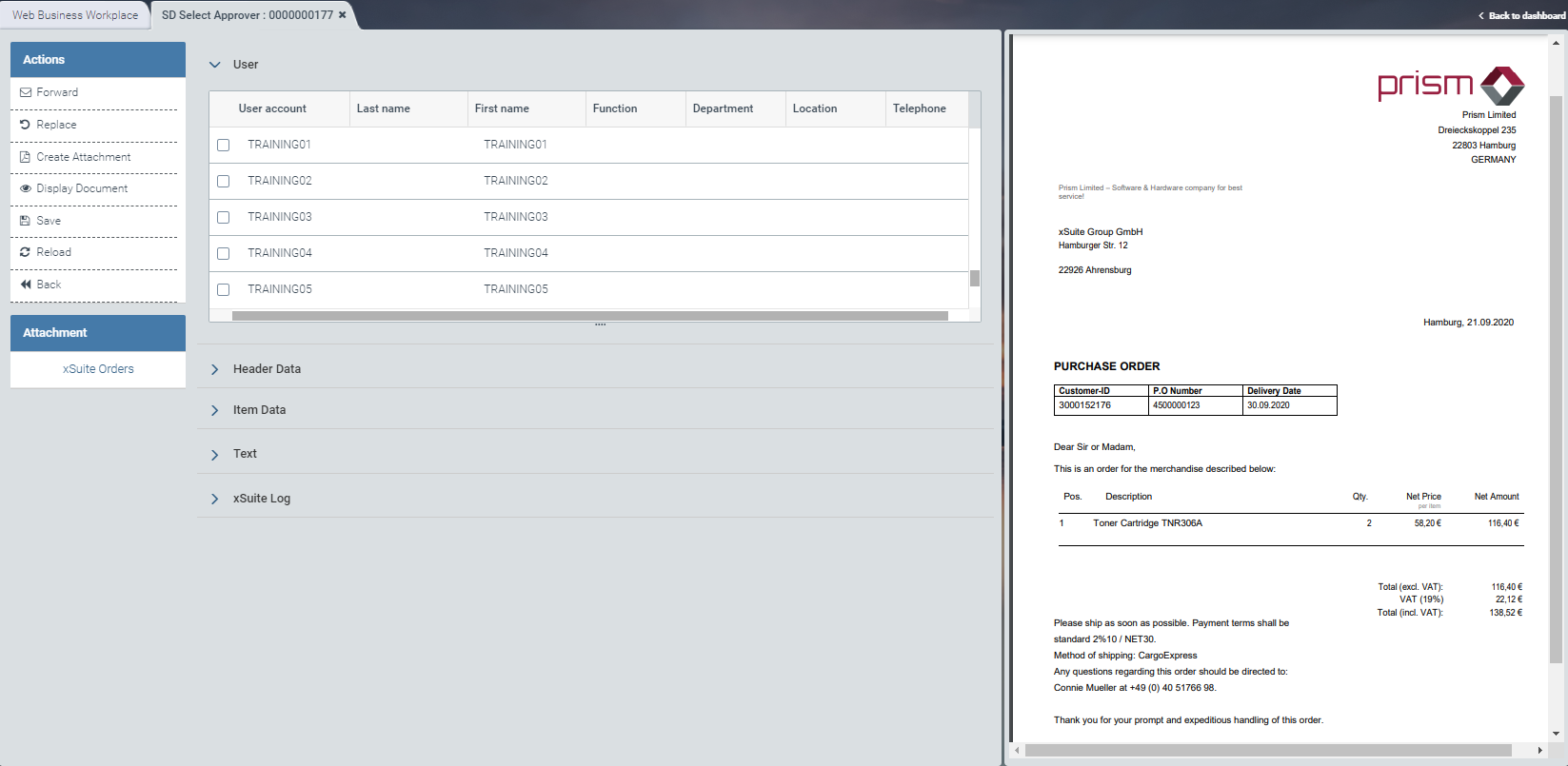
For information on the UI elements, see Work Items: Main Overview in the SAP GUI, Work Items: Main Overview in SAP Fiori and Work Items: Main Overview in xSuite Web.
"Select Approver": Buttons
SAP Fiori | SAP GUI / xSuite Web | Description |
|---|---|---|
| Forward | |
| Replace | |
| Create Attachment | |
| Display Document | Branches to SAP transaction VA03 in the xSuite Web. In this view, you will see document data. |
| Save | |
| Reload | Note: This button is only available in SAP Fiori and xSuite Web. |
| Back | Note: This button is only available in SAP Fiori and xSuite Web. |


