Validation: Main Overview in SAP Fiori
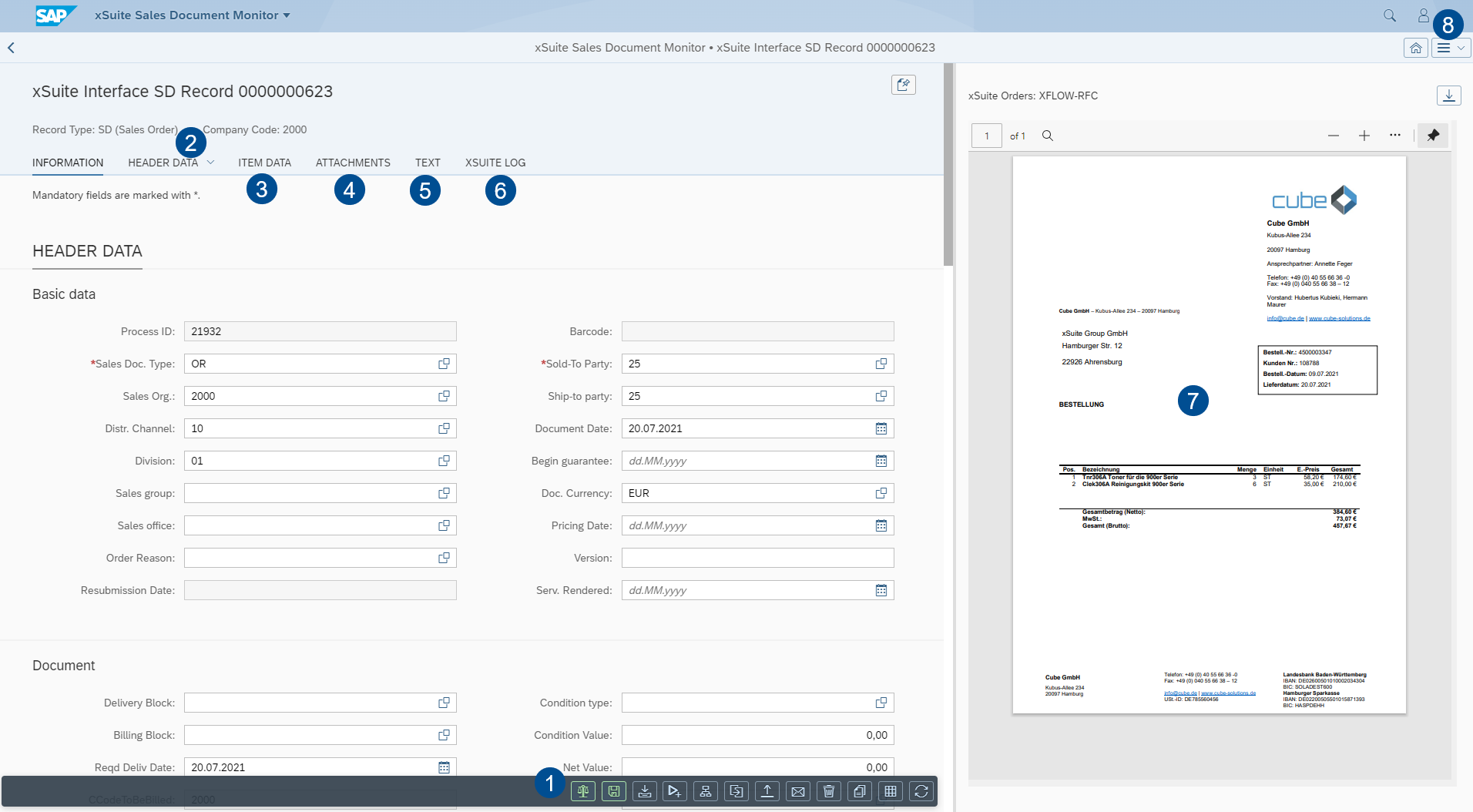
Area | More information | |
|---|---|---|
1 | Document buttons | |
2 | Header Data | The primary data of the document is displayed in the header data. You can add and/or edit individual header data, such as Document date, Posting date, Amount, Currency, Reference and Transaction. |
3 | Item Data | This is where the item data of a document can be viewed and edited. Which buttons and data are available depends on the document type. For information on the item data of documents, see: |
4 | Attachments | The document is displayed in xSuite Viewer. For information on the xSuite Viewer, see Working with the xSuite Viewer. All other attachments are displayed in a simple page view. |
5 | Text | |
6 | xSuite Log | |
7 | Viewer | |
8 | Settings | Here, you can determine personal document display (Settings→ Global → Document view:
|