Task name
On the back-end system, the labels of tasks displayed in SAP Fiori My Inbox can be optionally changed.
This configuration is performed via transaction SPRO → SAP Customizing Implementation Guide → SAP NetWeaver → SAP Gateway Service Enablement → Content → Workflow Settings → Maintain Task Names and Decision Options.
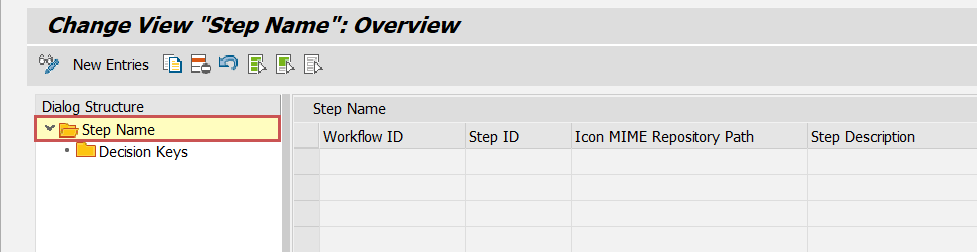 |
Under Step Name, an existing entry can be edited or a new entry can be created for this purpose. The entry is language-dependent, i.e. the description is maintained for the current SAP GUI logon language.
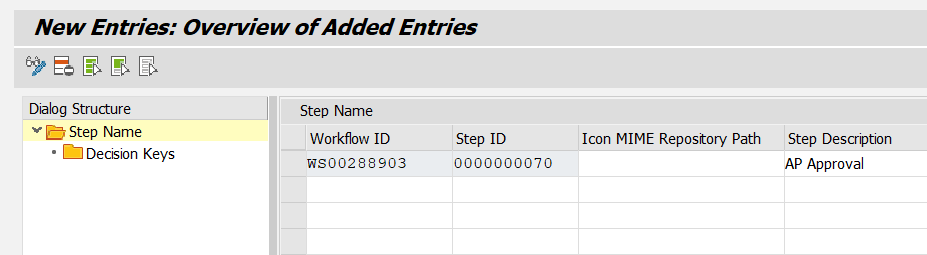
For each entry, the desired task name must be entered in the Step Description column for the corresponding combination of workflow ID and step ID.
Example
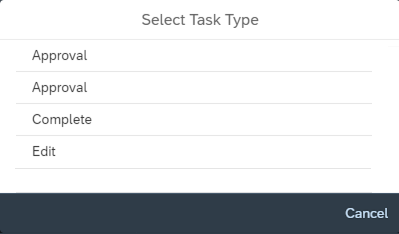
In SAP Fiori My Inbox, the tasks of the AVAG and LVAG roles are both labeled Approval. To enable the user to distinguish between the tasks, the name for the AVAG role should be changed from Approval to AP Approval.
 |
The workflow ID for a role can be determined in the transaction /WMD/BC_SPRO → xSuite Business Solutions → Workflow → Basis → Basic Settings → Assign Roles.
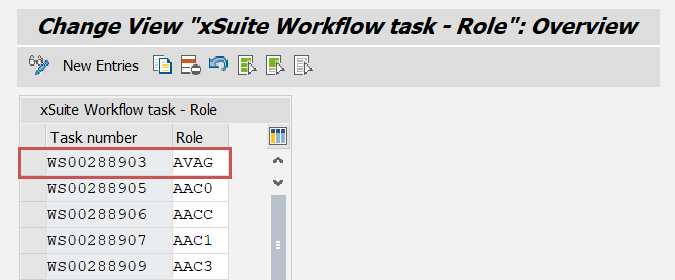 |
The work item ID searched for can then be determined for the role in the table. In this example, the searched work item ID of the role AVAG is WS00288903.
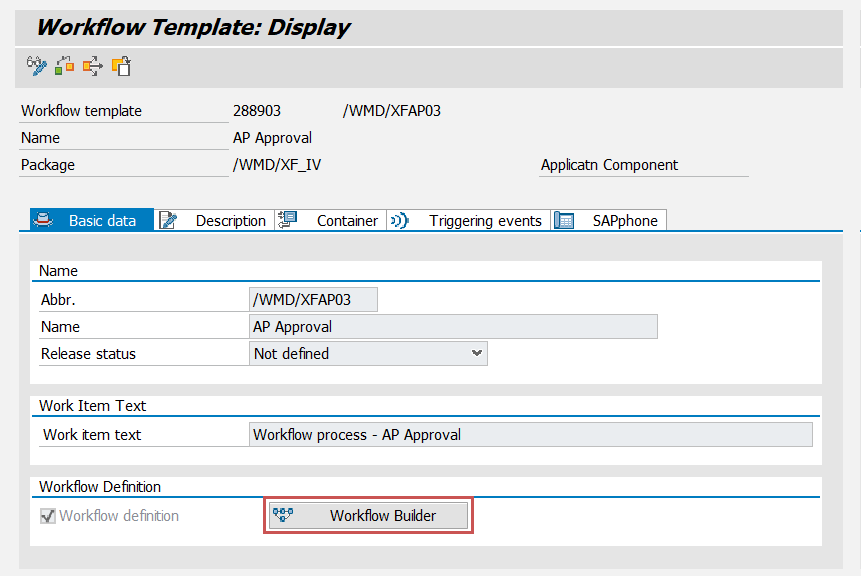
The step ID for the workflow ID can be determined via transaction PFTC in the Workflow Builder. There, the task type Workflow Template must be selected, and the ID of the task entered without WS, i.e. 00288903 in this example.
The Workflow Builder must be called up in the Basic Data tab.
 |
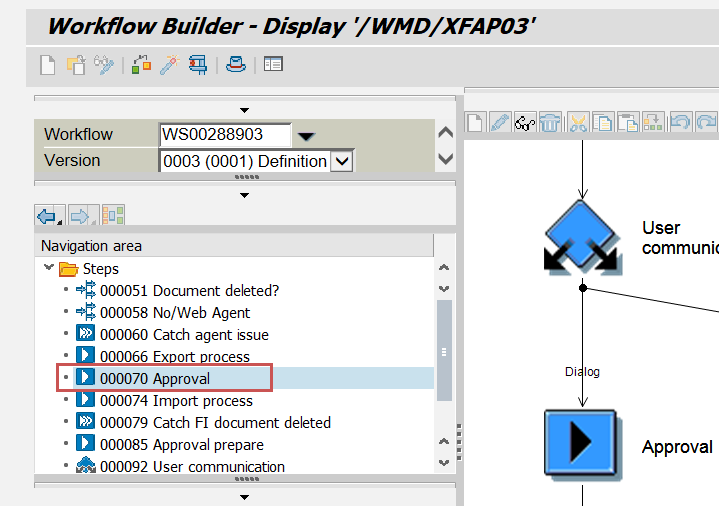
In the Workflow Builder, the Step ID can be determined for the Approval dialog in the navigation area. In this example, the step ID is 70.
 |
In transaction SPRO → SAP Customizing Implementation Guide → SAP NetWeaver → SAP Gateway Service Enablement → Content → Workflow Settings → Maintain Task Names and Decision Options, a new entry is created for workflow ID WS00288903 and step ID 70:
 |
After saving the new entry, the new name AP Approval will be used in the SAP Fiori My Inbox.