Dashboard
The dashboard is the start screen that appears after logging into the Business Partner Portal. The dashboard can be used to navigate to different areas.
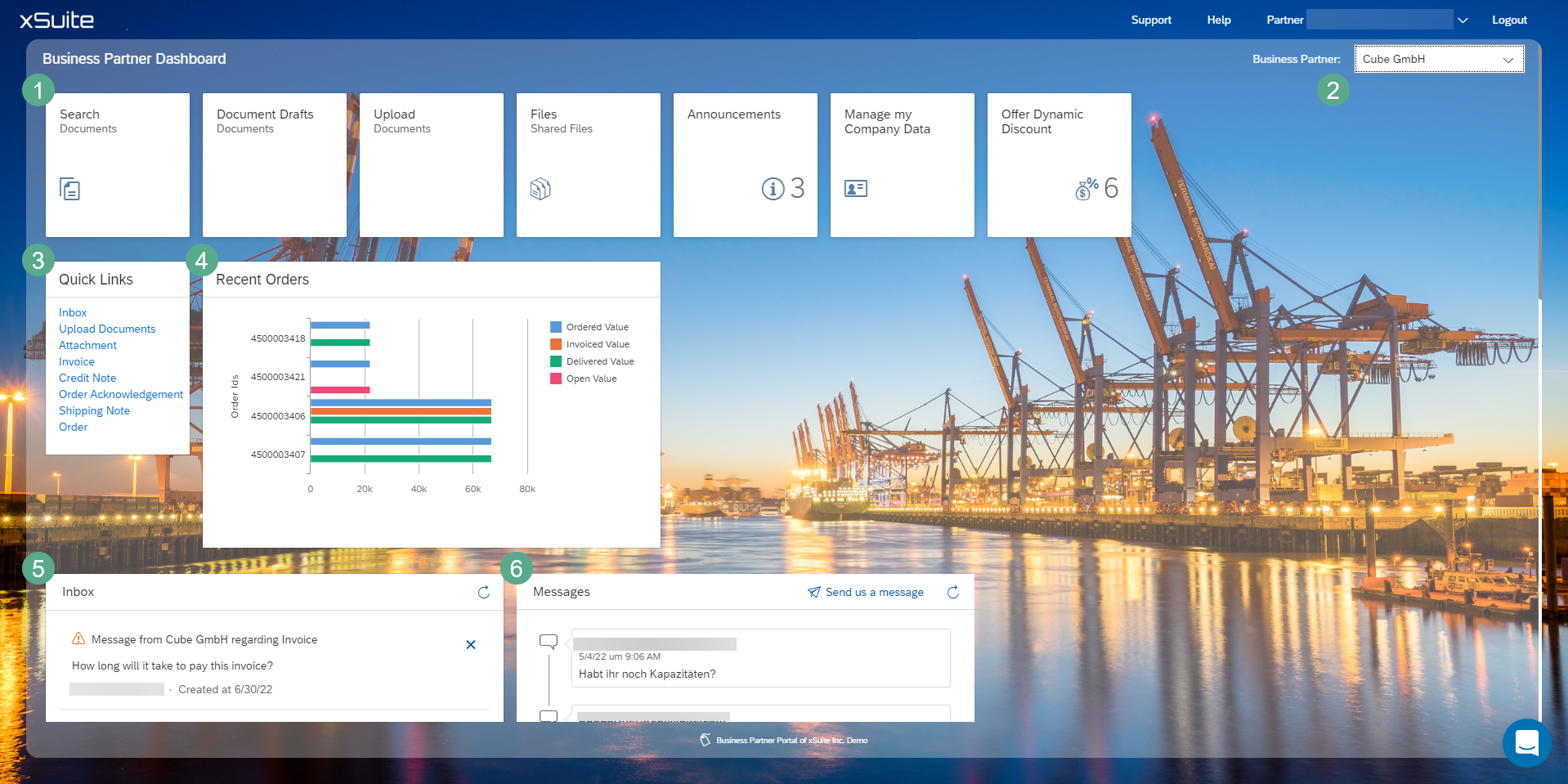
Area | Description | |
|---|---|---|
1 | Tiles | Skip to the detail screens |
2 | Business Partner | Displays the business partner that is currently selected. If you handle multiple business partners, you can select the business partner from the drop-down list. |
3 | Quick Links | The quick links direct you to preselected document searches. |
4 | Recent Orders | Shows the customer's most recent purchase orders. |
5 | Inbox | Shows the inbox. All workflow messages are displayed here. |
6 | Messages | Shows incoming messages for the exchange of information between business partners. |