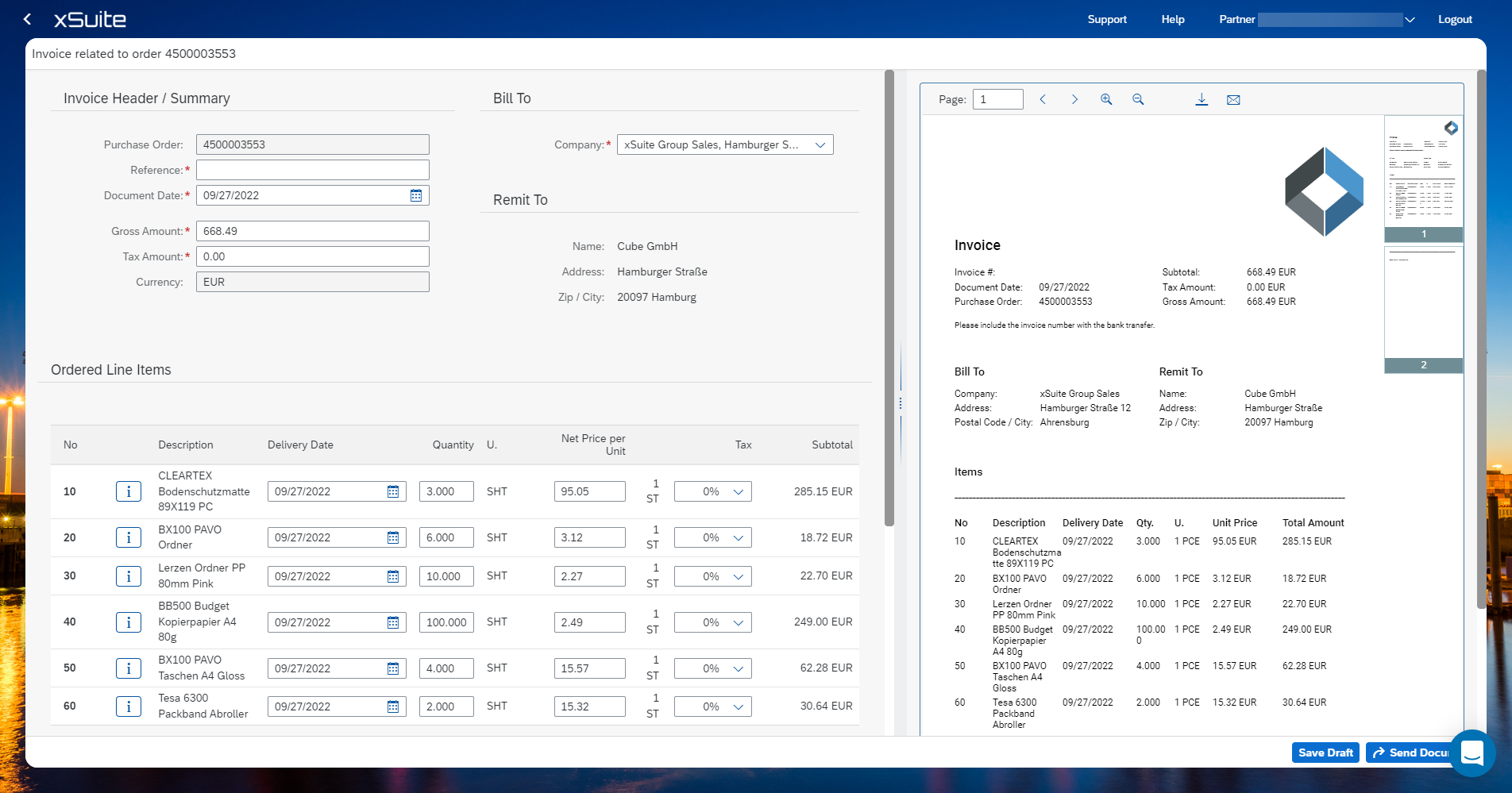
Create an Invoice
Click on an order.
Click Actions and choose Create Invoice.
The fields purchase oder and currency are not changeable and prefilled.
Enter a reference.
Enter the document date. The today's date is prefilled.
The determination of the amount takes place at item level. Change the gross amount only if necessary.
The bill to company code is prefilled. Change the company code if necessary.
Change the item data, if necessary. The fields delivery date, quantity, net price per unit and tax are changeable.
Add a note if needed.
Click Submit Document to send the document or save the entries as a draft via Save Draft. The draft can be edited at a later stage. See Uploading documents.