Overview of columns in list of documents
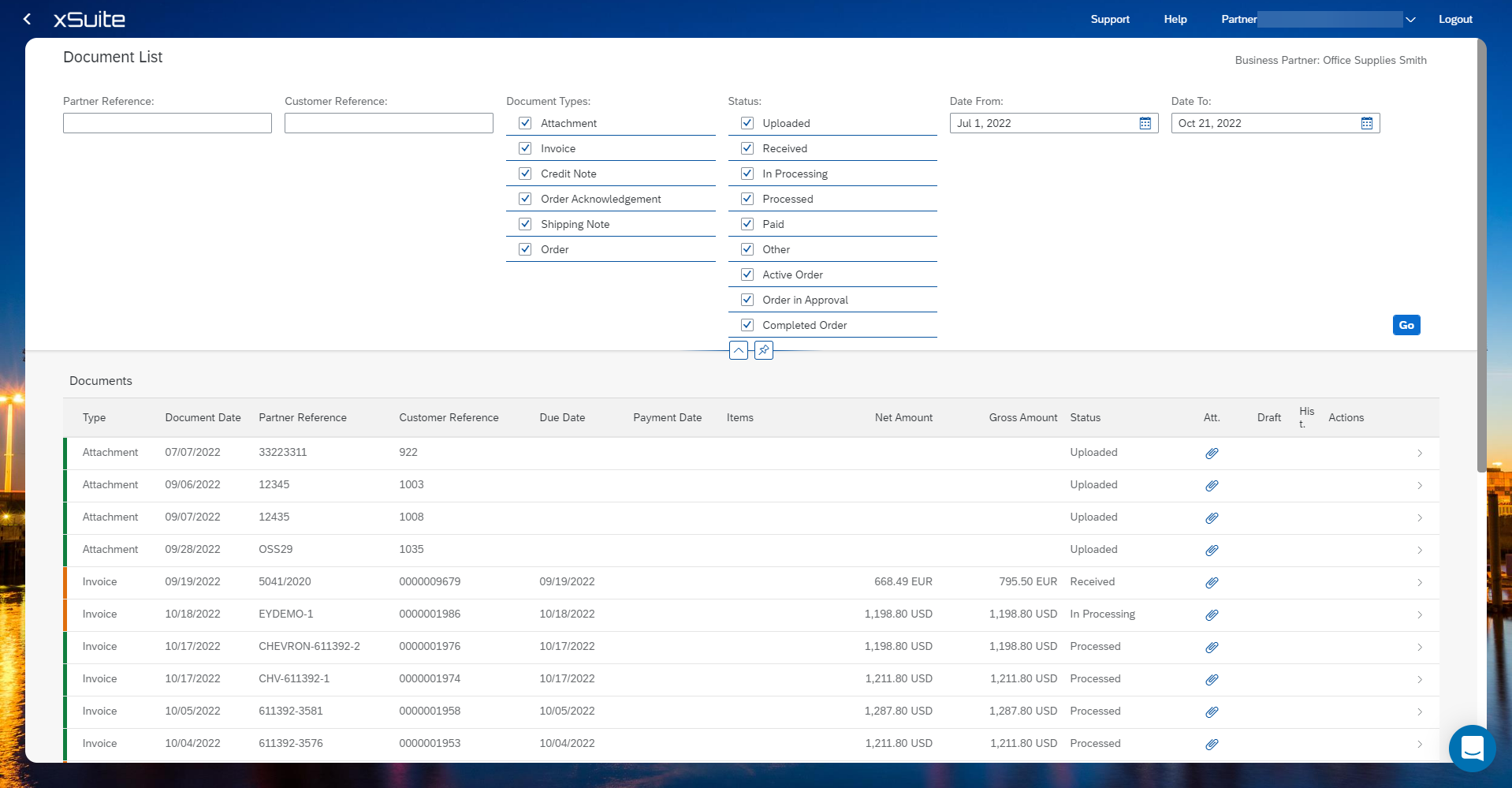
Name | Description |
|---|---|
Type | Shows the document type of a document. |
Document Date | Shows when the document was created. |
Partner Reference | Shows the reference number of the document. |
Customer Reference | Shows the customer reference number of the document. |
Due to | Displays the due date of the document. |
Payment Date | Displays the payment date of the document. |
Items | Displays the part number or the material number. |
Net Amount | Shows the net amount of the document. |
Gross Amount | Shows the gross amount of the document. |
Status | Displays the processing status of the document. The status indicator is displayed at the beginning of a line. Yellow indicates one of the following statuses:
Green indicates one of the following statuses:
|
Att. | Shows whether the document has an attachment. |
Draft | Displays information regarding designs. |
Hist. | Displays the document history of an order. The history function is only available for orders. |
Actions | Shows the actions of a document. Information on the actions can be found at Creating follow-up documents. |