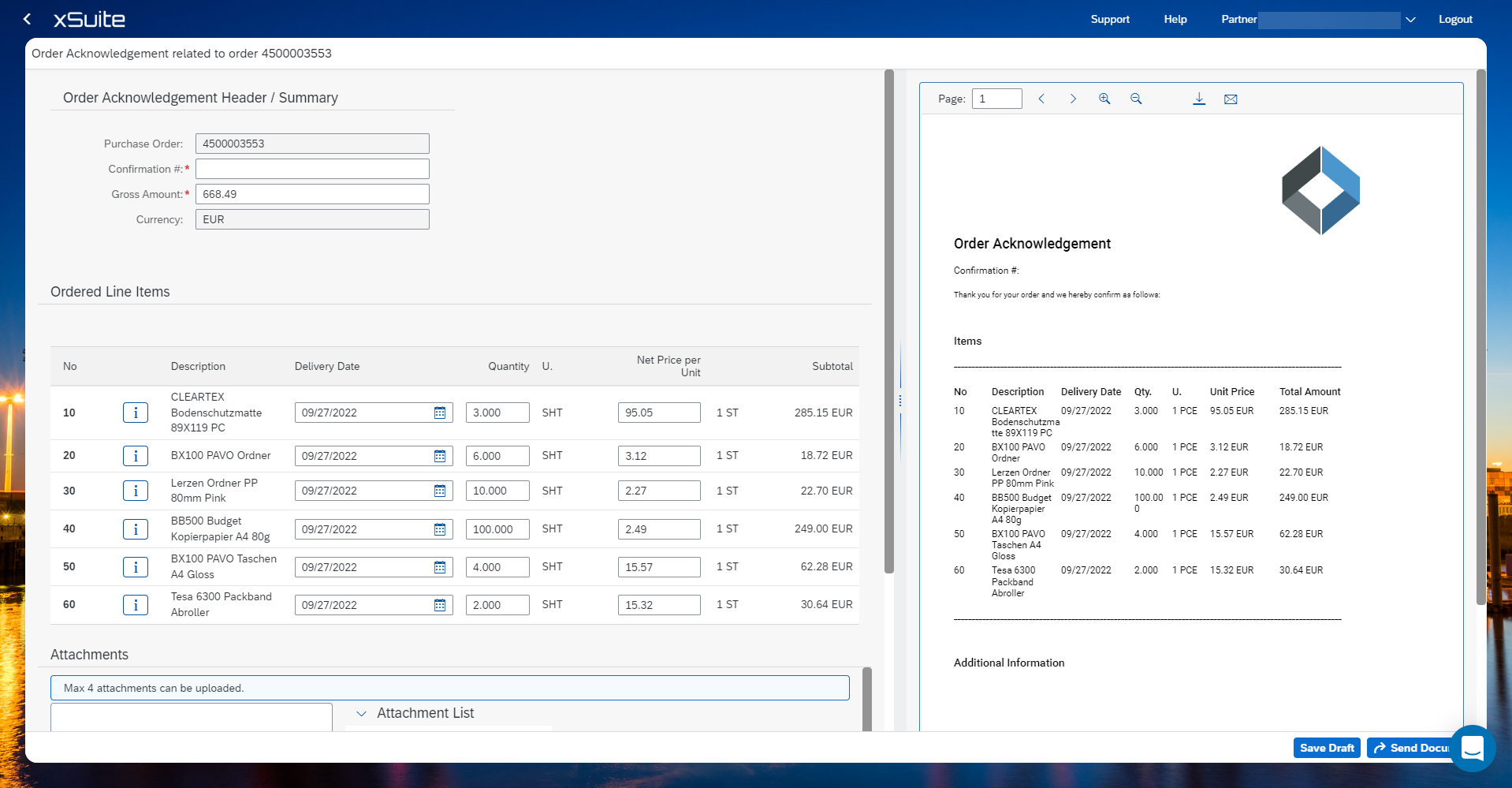
Creating an order confirmation
Click on an order.
Click Actions and choose Create Order Acknowledgement.
Enter a confirmation number.
Change the item data, if necessary. The fields delivery date, quantity, net price per unit, and tax are changeable.
Add a note if needed.
Click Submit Document to send the document or save the entries as a draft via Save Draft. The draft can be edited at a later stage. See Uploading documents.