Overview of actions in business partner list
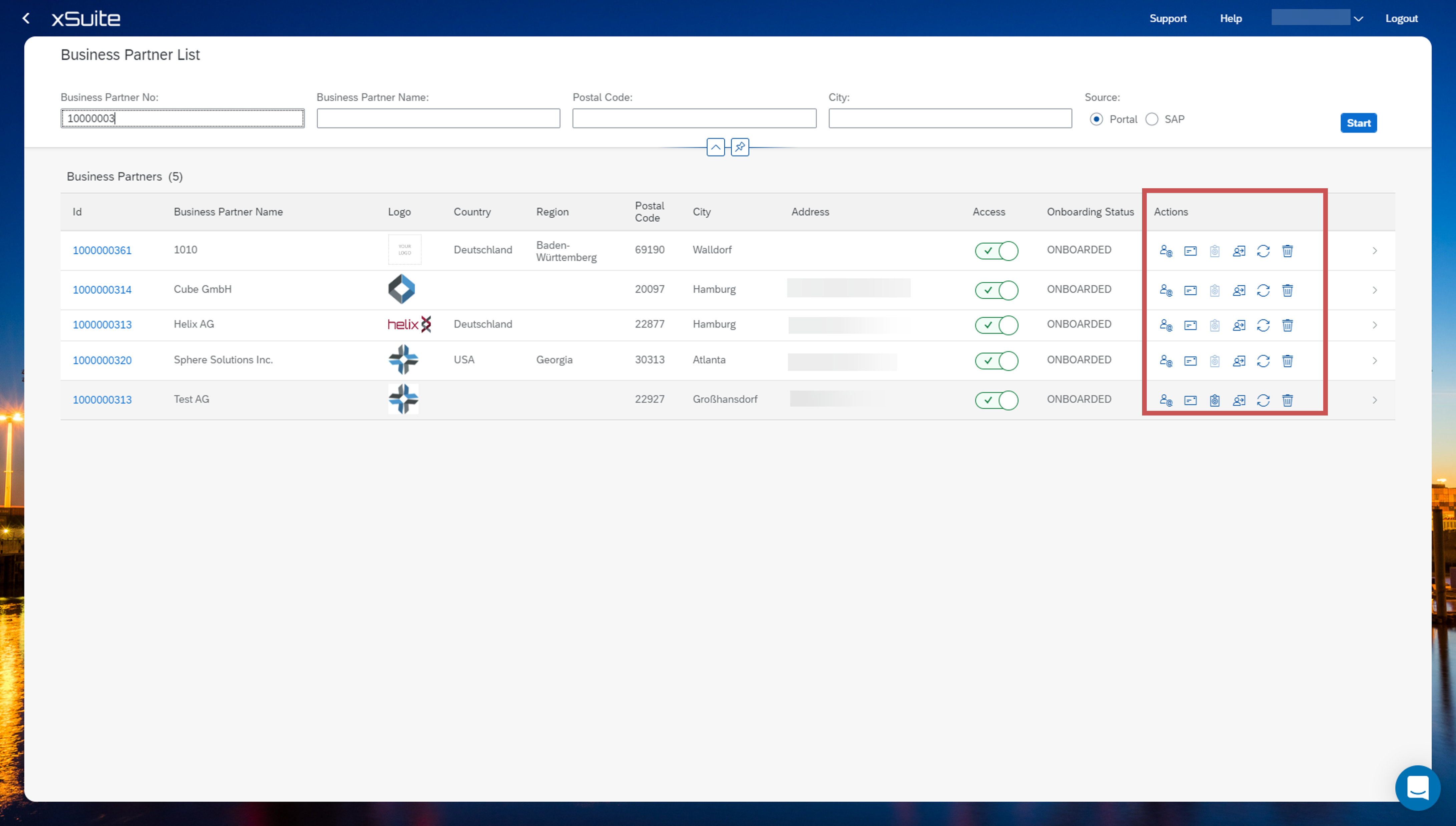
Name | Description |
|---|---|
| Invite Sends an invitation to the business partner. |
| Request Documents Sends a request for a document. |
| Business Partner Assignment If a user with the New Business Partner user type has been added via the Business Partner Management tile, this button will be used to assign the user to the SAP business partner. The business partner must be created manually in the background. |
| Dependent Business Partners Creates dependencies between business partners to link related partners in the system. |
| Read Data from SAP and sync into Portal The SAP data can also be read into the portal and synchronized. |
| Delete Deletes the business partner from the portal. Assigned users will not have access to the Business Partner Portal as a result. |


