Customer Dashboard
The dashboard is the start screen after logging into the Business Partner Portal. You can jump to various sub-areas via the dashboard.
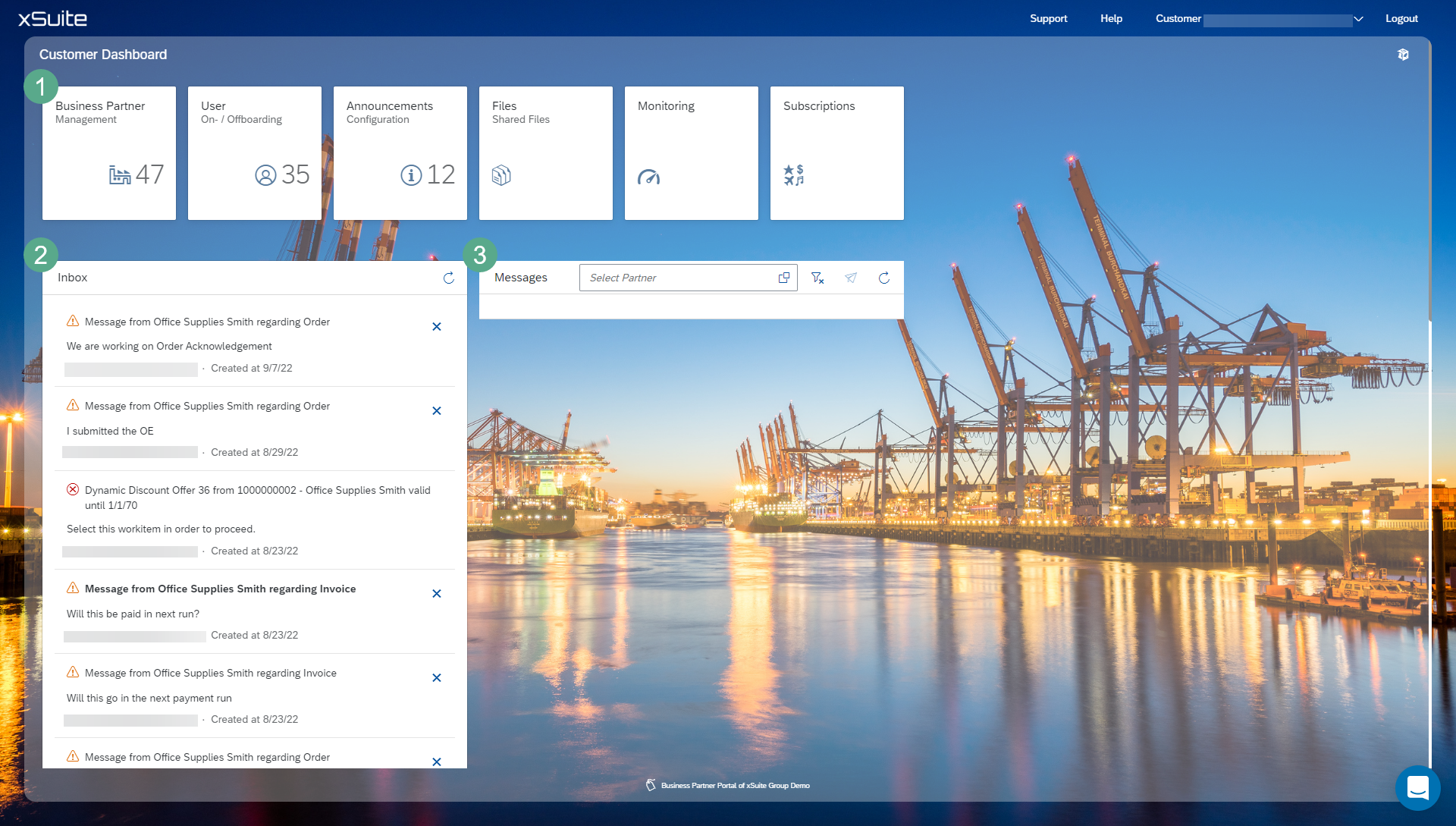
Area | Description | |
|---|---|---|
1 | Tiles | Jump to the detail screens. |
2 | Inbox | Displays the inbox. All workflow messages are displayed here. |
3 | Messages | Message function for the exchange of information between business partners. |